Skip to content
Gab AI

Every AI. One app.

Chat, create, and build with any AI on every device you own.

Create a free account
Watch the tour

AI that works.

AI that works.Press play to load the video.
Read transcript
This is Gab AI. AI that actually works. Chat with GPT, Claude, Gemini, and nearly two hundred models, all on one account. Need more than an answer? Hand the whole job to Work. It plans it, builds it, and checks it. Websites. Documents. Presentations. Spreadsheets. Code. Direct a video shot by shot. Build a game you can play. Edit any image. Make a song. Build an AI team that works your way. Voice chats. Scheduled tasks. Memory you control. One subscription, on the web, your phone, and your computer. So you get more time for living. Try Gab AI free.
Ask for changes…
Ask for changes…
Alpine films · Cut the ridge and lakeside shots into a 15-second alpine film. · The ridge opens the film. At eight seconds, we cut to coffee by the lake. · Alpine morning.mp4

All-in-one AI tools in practice

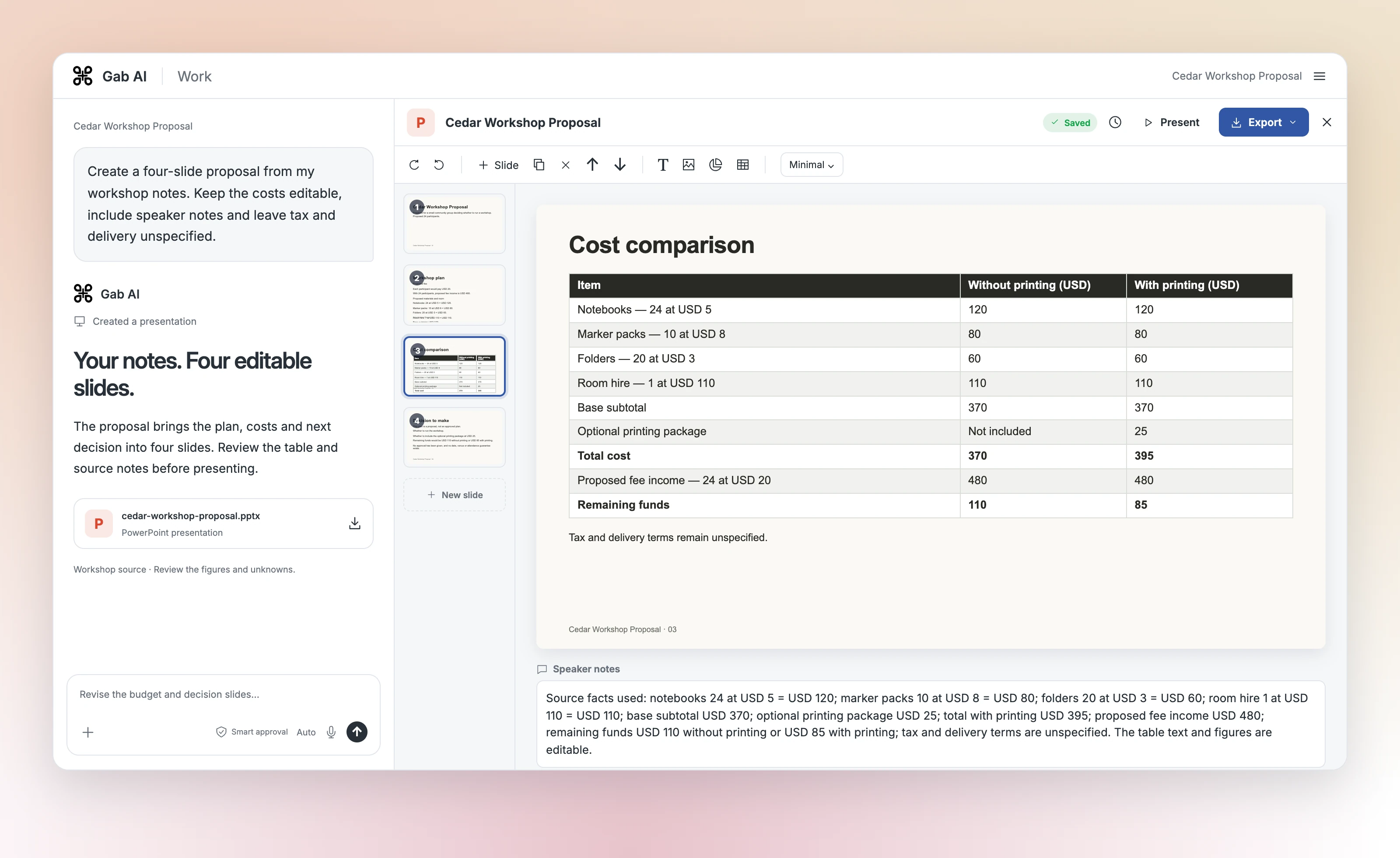
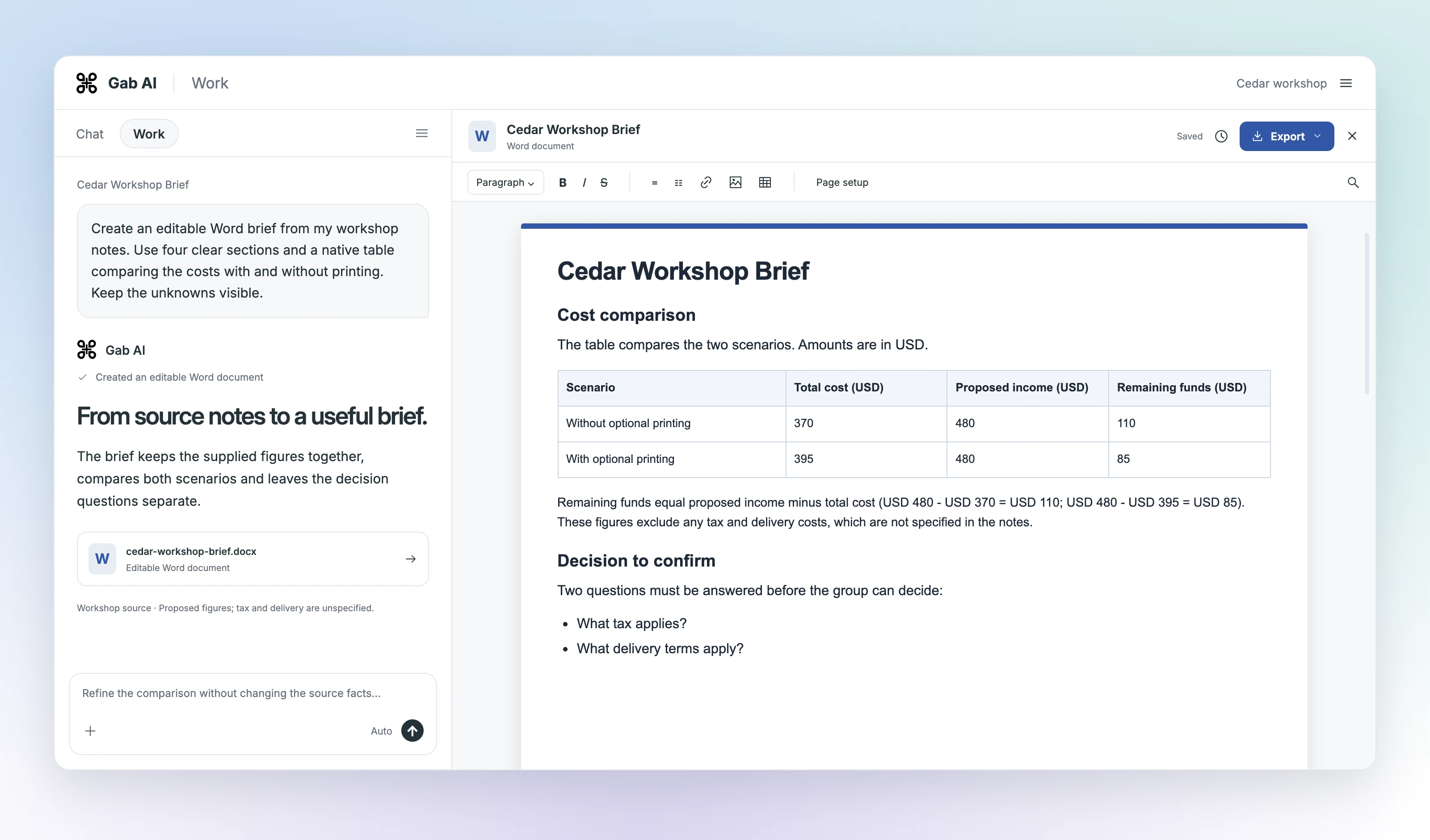
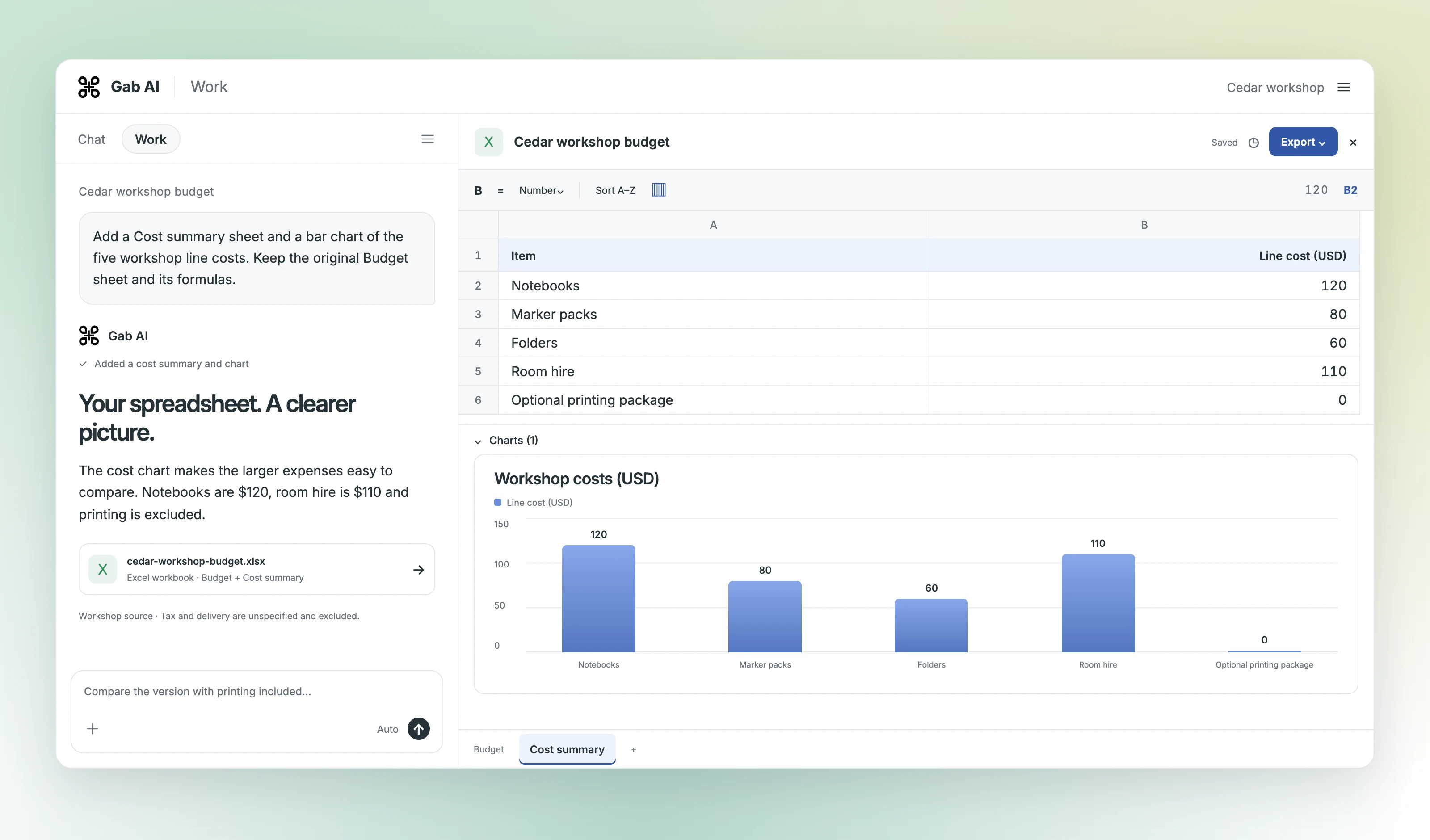
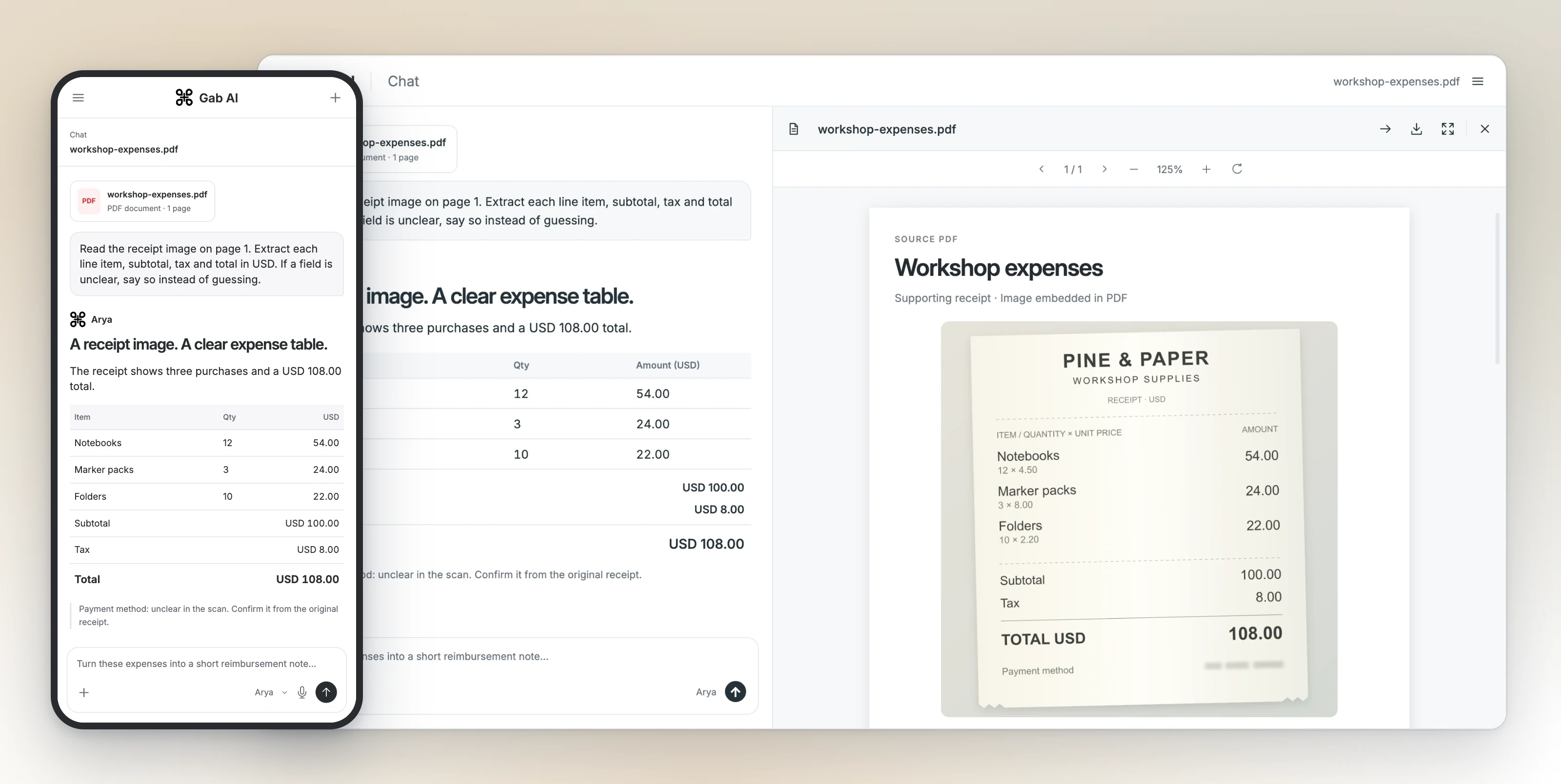
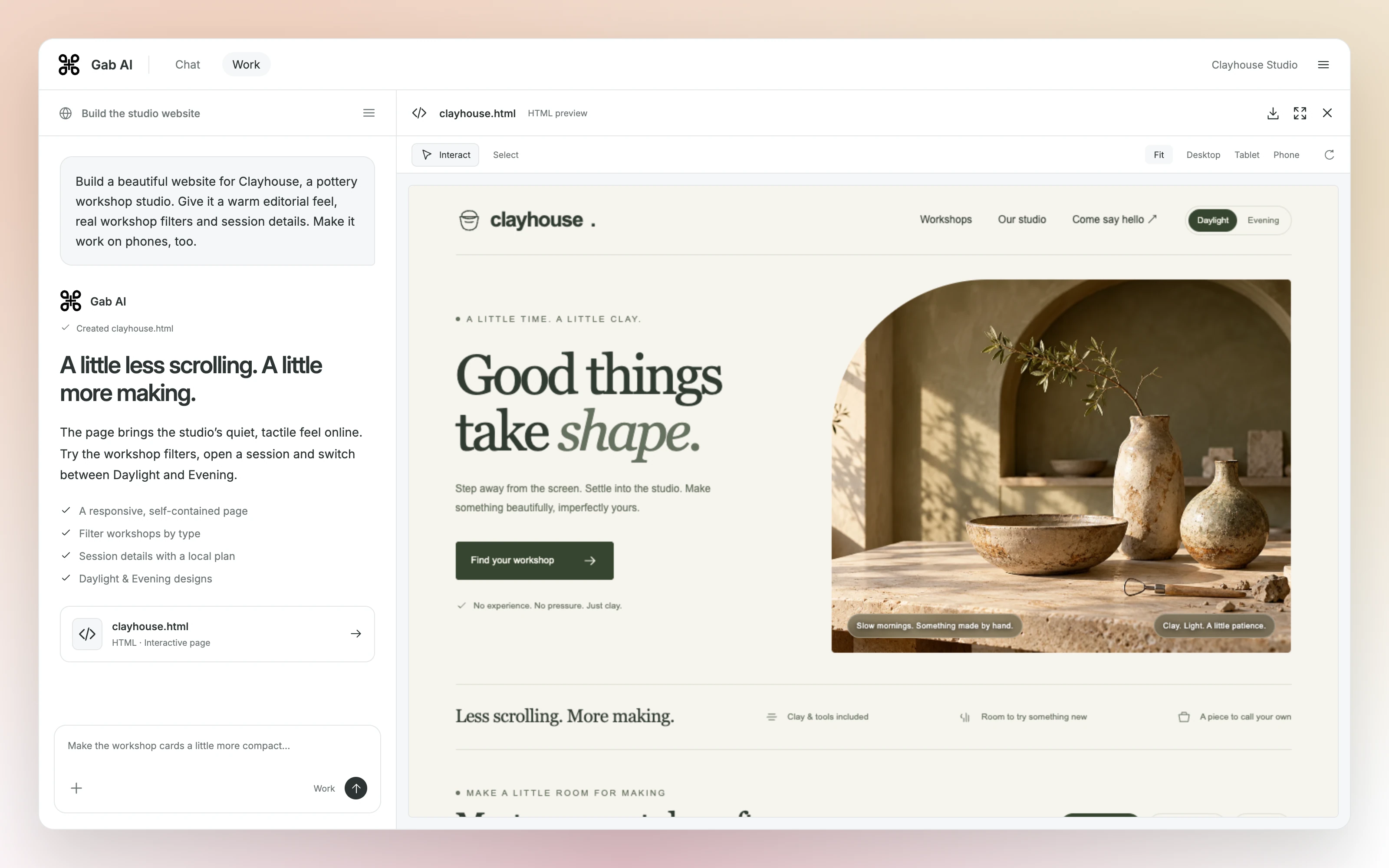
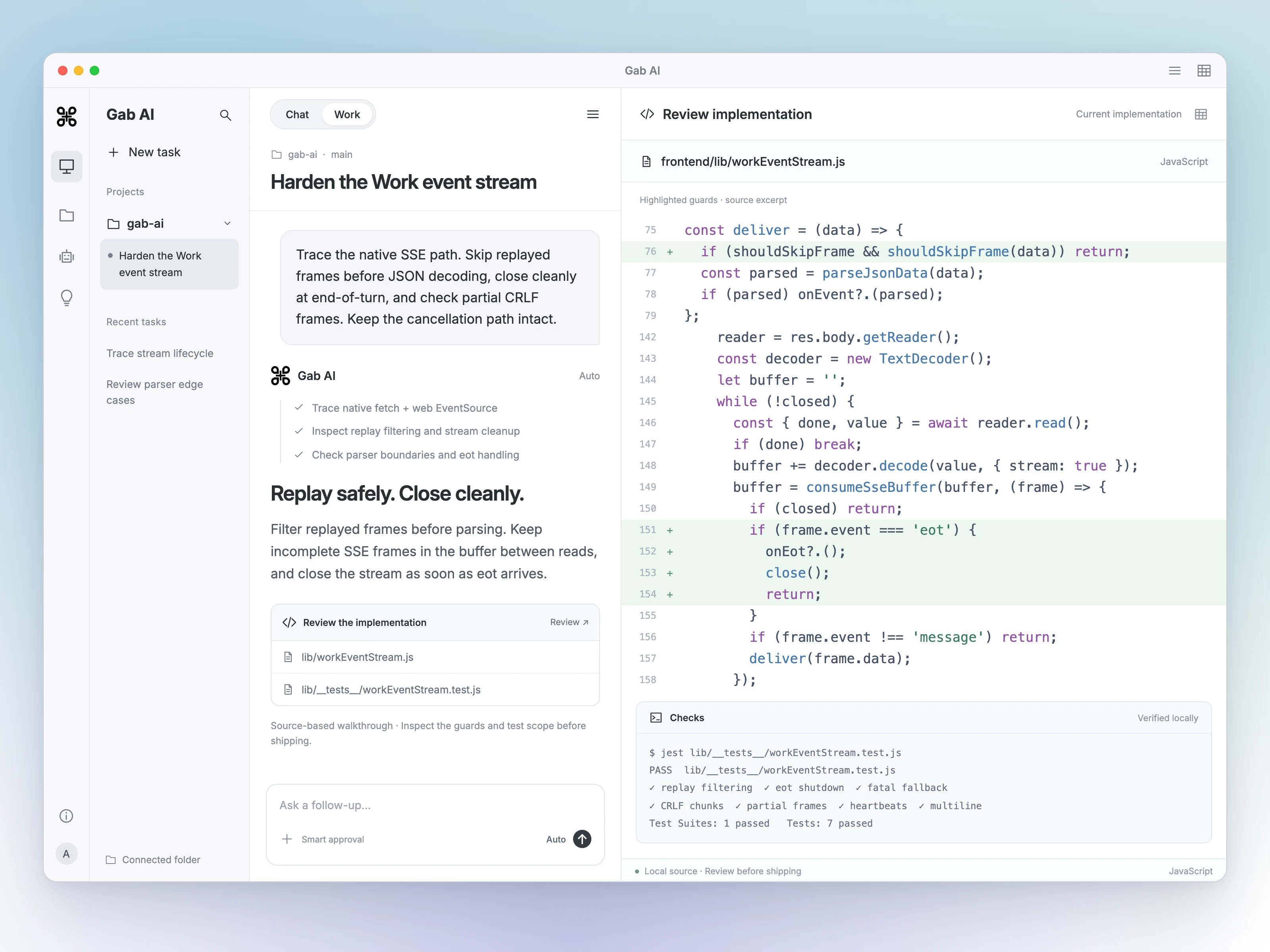
Explore a receipt, an editable workbook or a working website. Each example shows the request alongside the result.

See all features

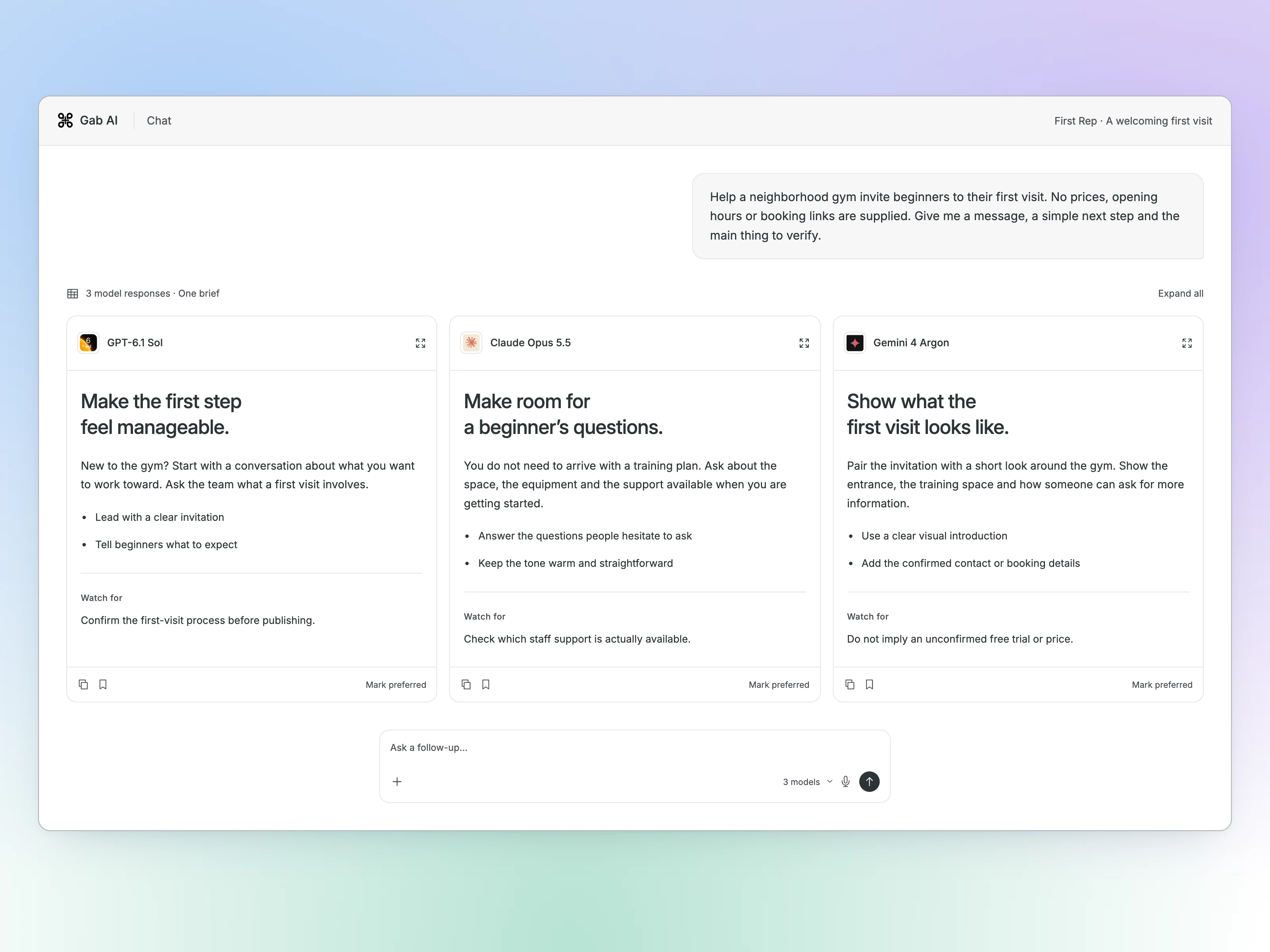
Compare model answers side by side

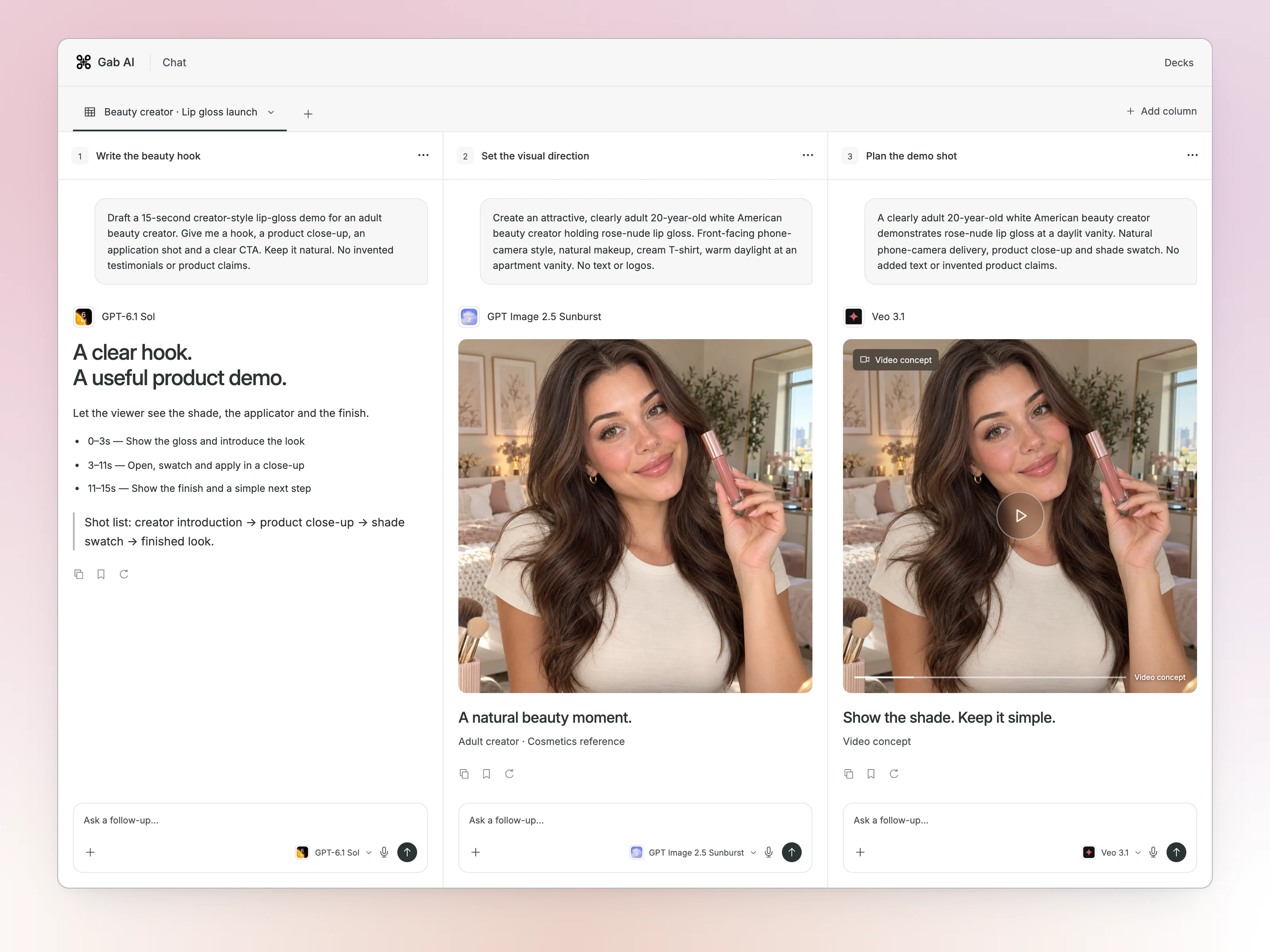
Send one prompt to multiple models in Compare, or give each part of a project its own conversation in a Deck.
Enlarge preview

One prompt. More than one perspective.
How to use Work

  1. Describe the job.

    Give Work your goal, source material and the result you need.

  2. Follow the work.

    Work uses a computer and tools to carry out the project. Check its sources and progress.

  3. Review and revise.

    Open the result beside the chat. Edit it yourself or ask for one focused change.

Switch models in the same chat

Ask a question, attach a file or search the web. Choose a model for the next reply, or let Auto choose for you.

Browse AI models
  • GPT
  • Claude
  • Gemini
  • DeepSeek
  • Qwen
  • Kimi
  • GLM
  • Arya

214 models. One account. Explore the full library for chat, images, video, audio, and more.

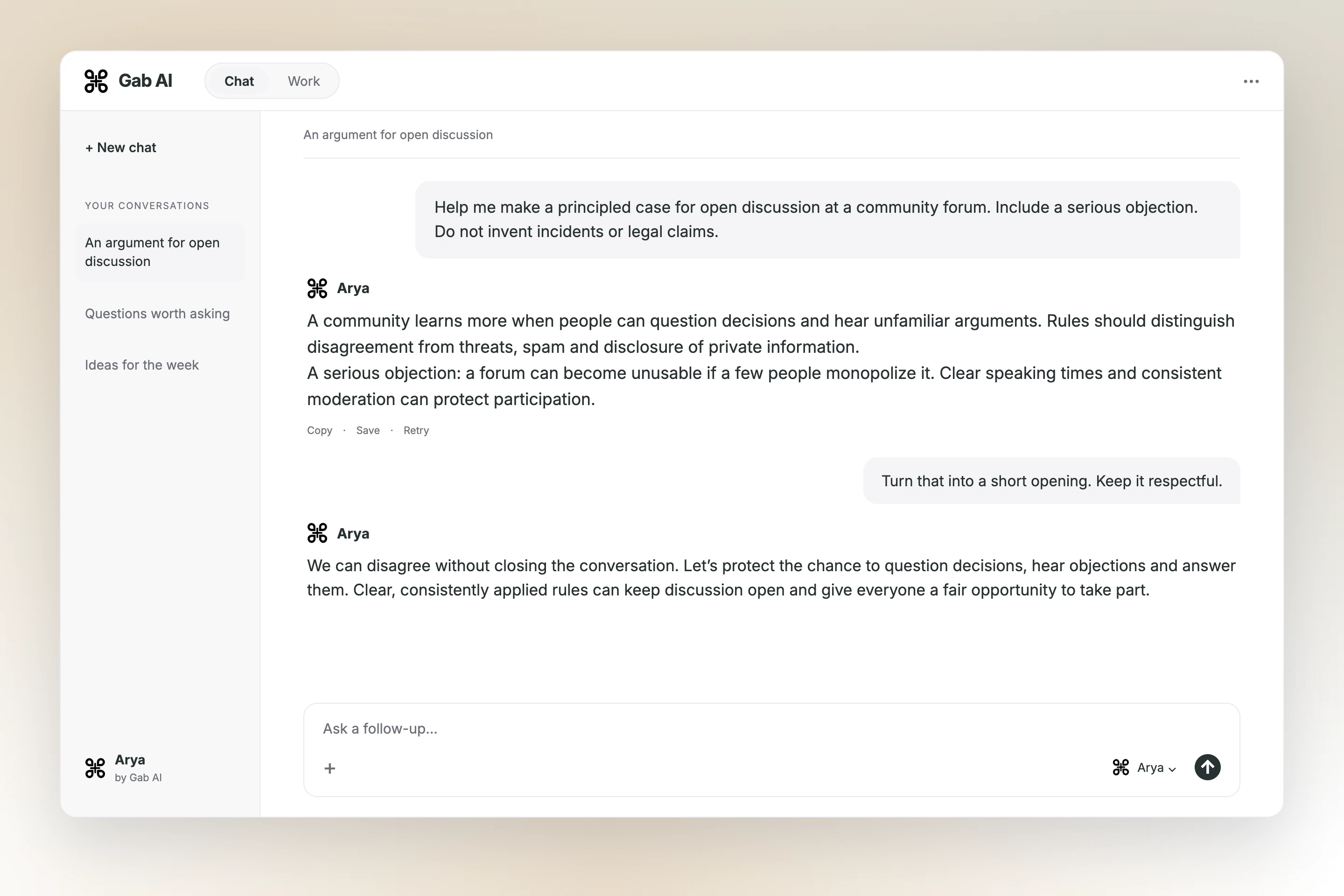
Uncensored chat with Arya

Arya is Gab’s own model for conversations about politics, culture and faith. In this chat, a writer asks Arya to make a case for open discussion, then tests the argument with a follow-up.

Meet Arya
Enlarge preview

Make your case. Examine the objection.

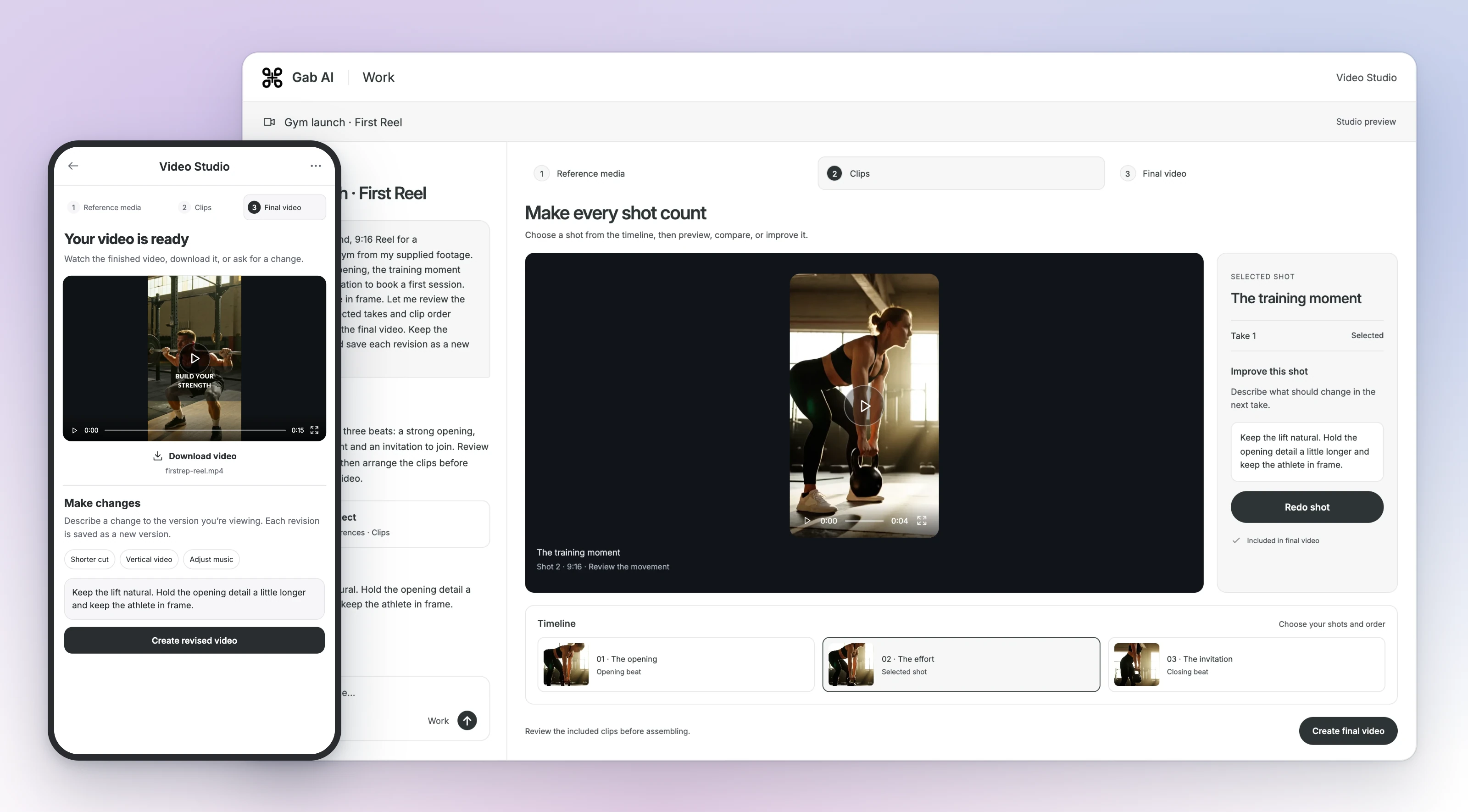
Inside a 15-second training Reel

Watch First Rep, then inspect the cut in Work’s video studio. Three shots, a title and a music track share one vertical timeline.

See the video workflow
First Rep · The finished ReelPress play to load the video.
Enlarge preview

The sequence, the music and the final cut.

Music, 3D and voice

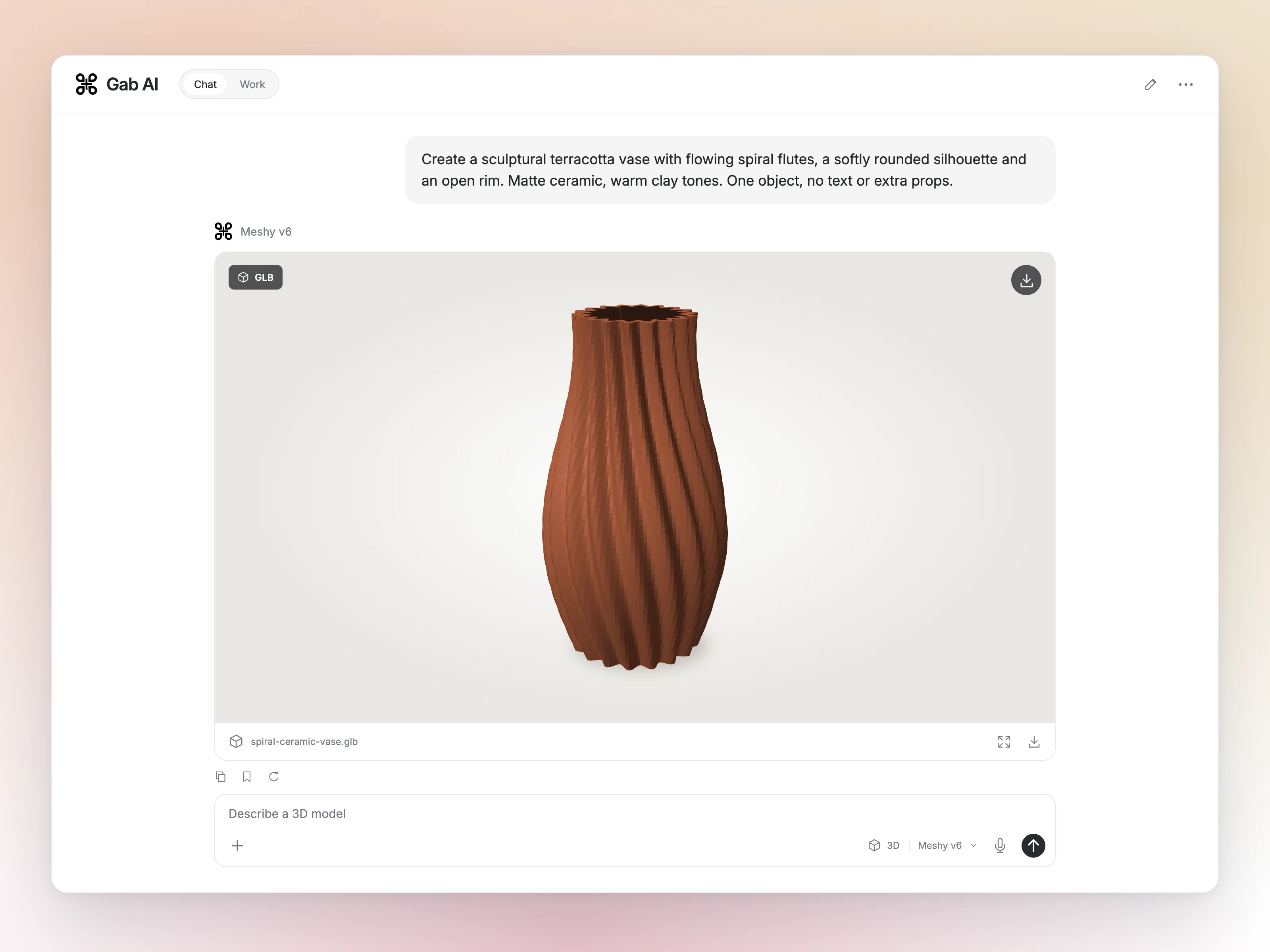
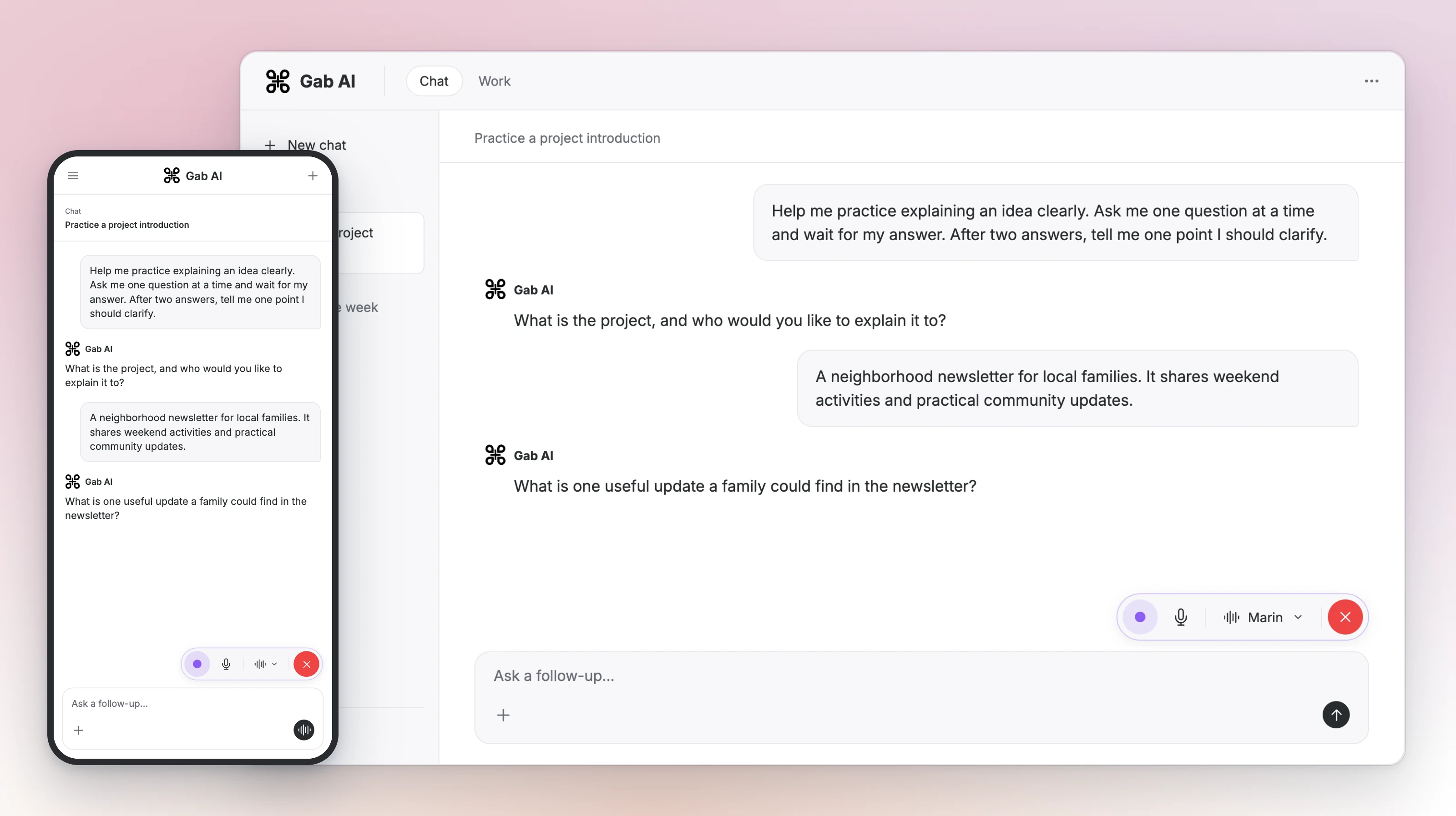
Hear a country-rock recording, inspect a clay vase or follow a voice conversation back into Chat.

Talk it through with Voice

Listen to “Miles to Go”

Play the recording and read the original country-rock lyrics in the conversation.

Hear more music

Miles to Go

Country rock · Original lyrics · MiniMax Music 3

Enlarge preview

Listen to “Miles to Go”

Memory, bots and scheduled tasks

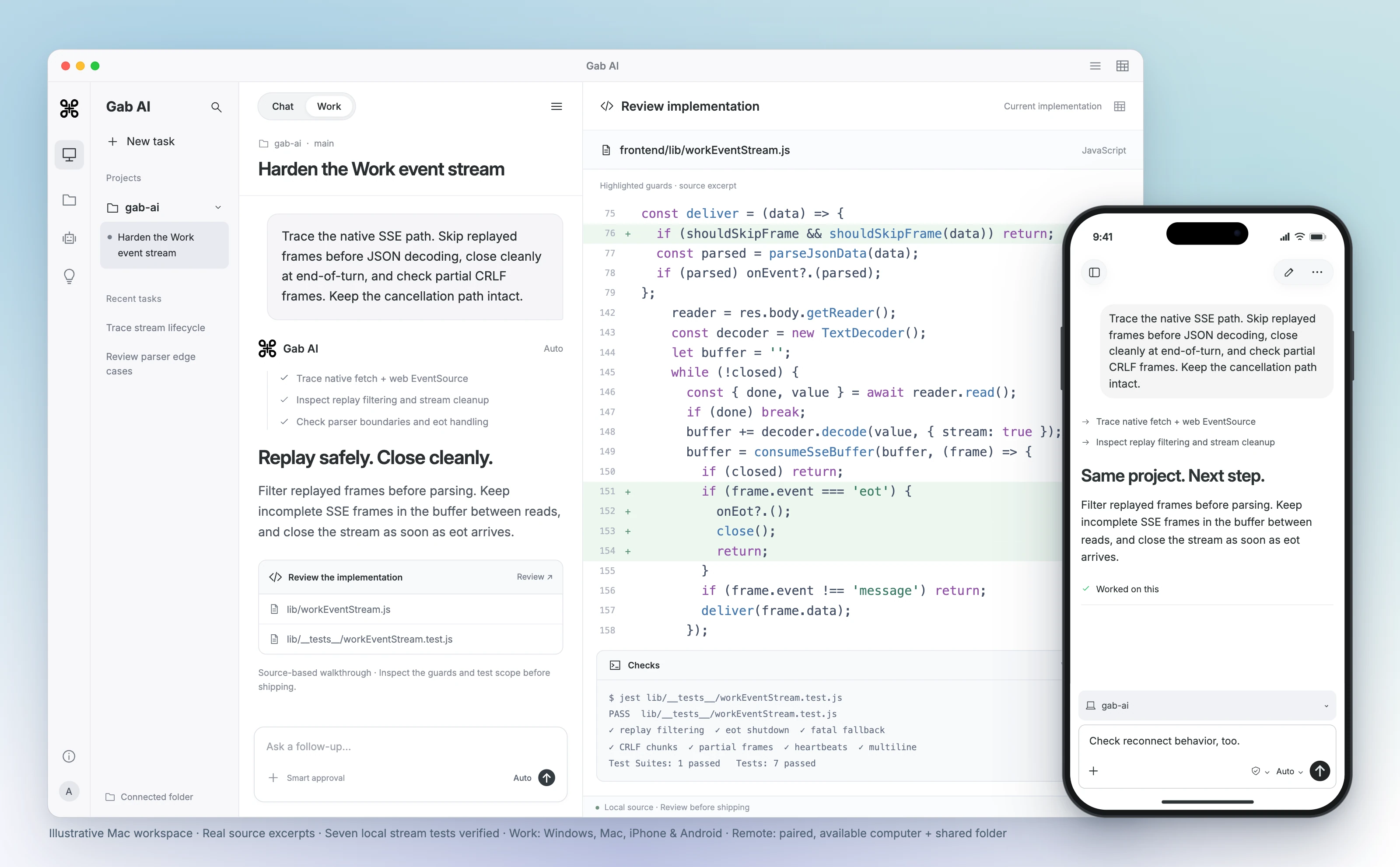
Continue a desktop project on your phone

Work on Windows or Mac. Continue the task and send your next instruction from a paired iPhone or Android phone.

Set up Remote
Enlarge preview

Your project. Your next instruction. Wherever you are.

Apps, editions and access

To send a Remote follow-up, pair your phone with an online computer and share the project folder.

In the website edition, connect a project folder and let Work help with the files and apps you authorize. The App Store edition uses cloud Work.

Chat, create media, and keep your conversations and files together on your PC. Get the native Windows app from the Microsoft Store and sign in with your existing Gab AI account.

Free to install. Work requires Plus and uses model and tool credits.

See all apps and installation options

Learn Gab AI with worked examples

Read a free lesson or watch a walkthrough. Running the example yourself uses your plan and credits.

Start learning free

AI use cases by profession and interest

All use cases

Free and Plus plans

Use signup credits for eligible requests on Free. Plus includes Compare, Work, live Voice and a monthly credit allowance.

Gab AI access at a glance

Gab AI access at a glance
Capability
Free
Plus
$20.00 / month
ChatArya and eligible models; credits apply
Allowance250 signup credits after email verification
Work and live VoicePlus required
Video and music modelsQualifying purchased credits required
APISeparate credit usage and model access

Gab AI Plus is $20.00/month, or $16.67/month billed annually ($200.00/year).

Compare plans and credit costs

Questions about Gab AI

What can I create with Gab AI?

Use Gab AI for writing, research, images, video, music, and code. Work mode can build websites and playable games, create Word documents and PDFs, design PowerPoint presentations, and prepare Excel spreadsheets you can edit and share.

How is Work mode different from AI chat?

Chat helps you ask questions, explore ideas, and work through answers. Work mode gives an AI agent a computer and tools to carry out a project in multiple steps, create files, and revise them with your feedback. Work mode requires Gab AI Plus.

Can I use Gab AI for free?

Create a Free account without a credit card. The current allowance is 250 signup credits after email verification, for eligible requests. Work and live Voice require Plus; other models and media have their own access and credit rules.

Does Gab AI work on my phone and computer?

Use Gab AI in your web browser or download the apps for iPhone, iPad, Android, Mac, and Windows. Get the Windows app from the Microsoft Store. The browser extension brings Gab AI alongside your tabs in Chrome and Brave. Sign in with the same account across your devices.

Can I work with my own files?

Yes. Attach PDFs, Word documents (DOCX), Excel spreadsheets (XLSX), PowerPoint slides (PPTX), CSV data, TXT or Markdown files, and images such as PNG or JPEG. Ask questions about their contents or use Work to create new files. Review and edit documents, slides and spreadsheets beside the conversation. Format, size and model limits apply.

Which AI models can I use?

Use Gab AI’s Arya or choose model families including GPT, Claude, Gemini, DeepSeek, Qwen, Kimi, GLM, MiniMax, Mistral, MiMo and Hermes. Switch models between messages or let Auto choose for your request. The library also includes image, video and audio models. Availability and credit costs vary.

What information can an AI provider receive?

To answer your request, the selected AI provider may receive your prompt, relevant files and the context you enable. Requests go through Gab’s provider account, but personal details you include can still reach that provider. Read our privacy policy before sharing sensitive information.