
AI proposal generator: from notes to a Word brief
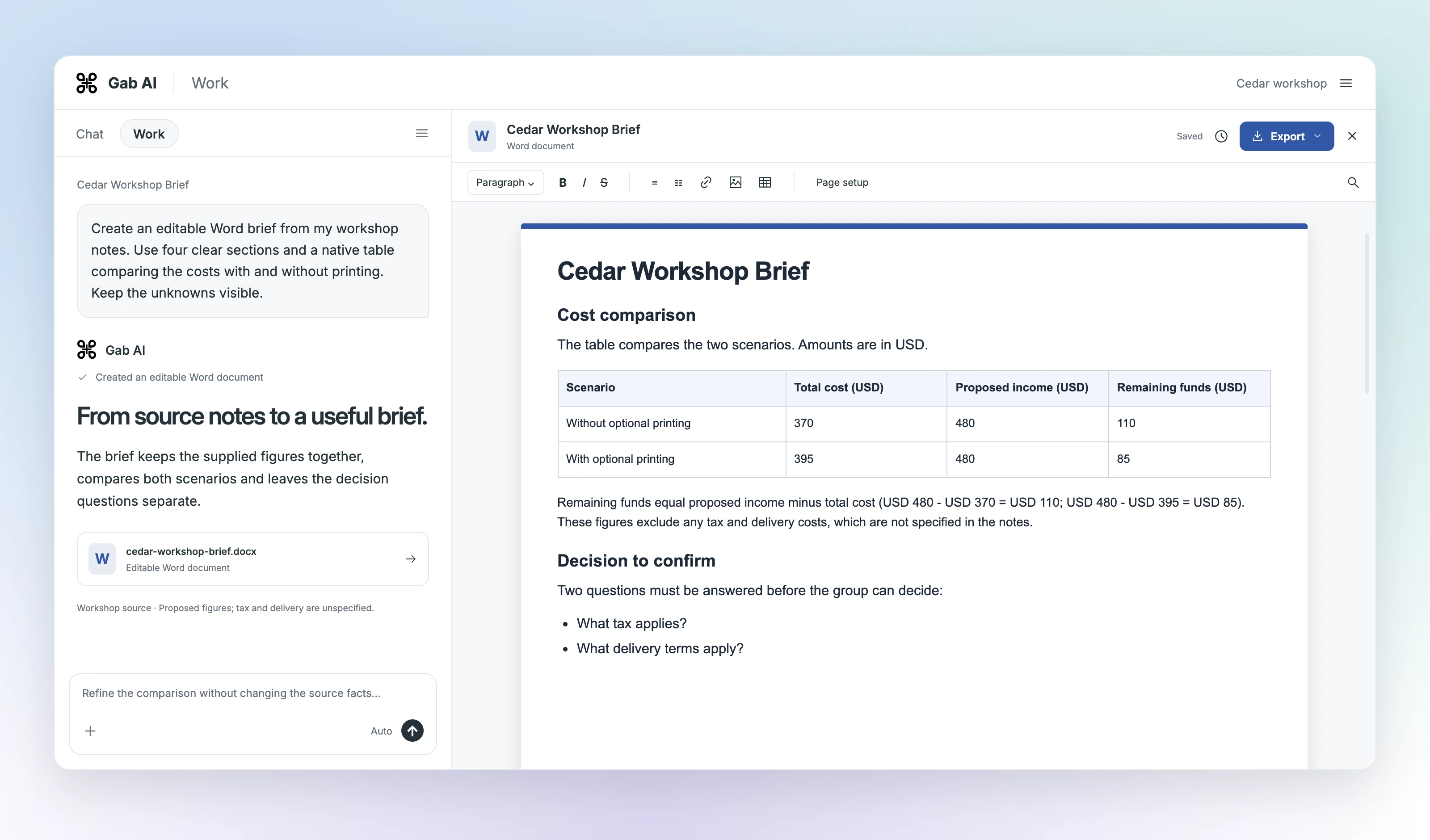
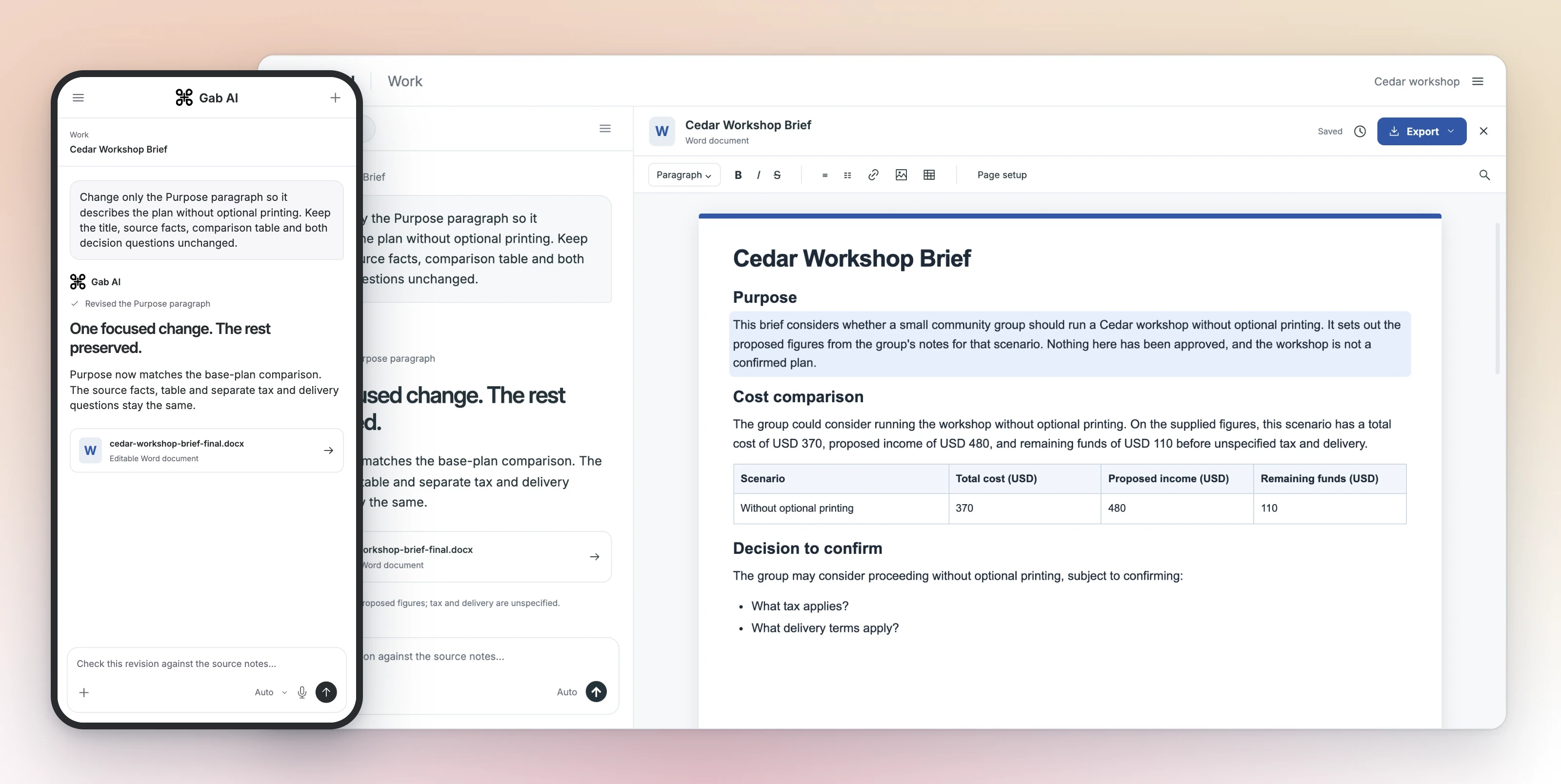
Gab Work turned workshop notes into a Word brief with four sections and an editable comparison table. A focused revision narrowed the decision to one option; a final correction brought the introduction into line with the new comparison.
Enlarge preview
Draft from notes
Draft, review and revise a Word document in the same workspace.
Enlarge preview
Revise a section
Draft, review and revise a Word document in the same workspace.

Enlarge preview
Ask about your document
Draft, review and revise a Word document in the same workspace.
Original and focused revision
Original and focused revision
| Item | Details |
|---|---|
| Original | Four sections and a native Word table comparing costs with and without printing. |
| Revision | Comparison and decision focus on the base plan: USD 370 cost, USD 480 proposed income, USD 110 remaining. |
| Preserved | Title and Source facts preserved. A final Purpose-only correction aligns the introduction with the base-plan comparison. |
| Check | What tax applies? and What delivery terms apply? remain separate questions. |
From source notes to an editable document
Open Gab AI and choose Work. Give the audience, purpose, source notes and sections you need. Ask for a finished editable Word document, open it and review the text and table. For a revision, describe the change and what should stay the same, then compare both versions.
Editable Word documents, with text and tables
Create a DOCX with paragraphs and a native table that you can continue editing. Use the document editor for wording, headings, lists and table changes. Docs explains Word and PDF formats, source files and export controls.
Make a proposal, project brief or report
Explain a decision, organize supplied facts or compare options in a table. Give Work the structure and source material for a proposal, project update or report draft.
For a report, name the reader, reporting period and question it should answer. Supply the figures and sources, then ask for findings, supporting tables and recommendations in separate sections. Read each conclusion against the source and keep unknowns visible. The lesson shows how to check a complete Word brief after a revision.
Documents in Gab Work
Work requires Plus and uses applicable model and tool credits. See Docs for access and usage details.
Can AI turn notes into a proposal?
Yes. Give Work your source notes, audience and sections. The workshop example produced an editable Word brief with a comparison table, then revised the decision and introduction.
Is the AI document generator free?
Work document creation requires Plus and applicable credits. Signing up alone does not unlock Work.
Will every Word or PDF file keep its formatting?
Import and export can change complex objects or formatting. Keep the original and check the converted file before sharing it.
