


A rough thought. A clearer next draft.
Ask a question, bring a draft or work through an idea. Refine the answer in the same conversation.

Loading preview…
Preview unavailable.
Enlarge preview
A rough thought. A clearer next draft.
The product
An AI workspace for writing, research, creative media and projects with editable files. Turn ideas into something you can read, watch, hear, share or build on.
Choose your model, compare answers and bring different conversations into one Deck.
See the workspaceTurn an idea into images, video, music and 3D. Shape the result as you go.
See creative toolsBuild editable files, develop code and carry a task from your computer to your phone.
See Work across devicesThink and build
From a quick reply to a finished project, bring your models, ideas and work together.
Ask a question, bring a draft or work through an idea. Refine the answer in the same conversation.
Send the same brief to several models. Read their answers side by side, then keep developing the approach that helps.
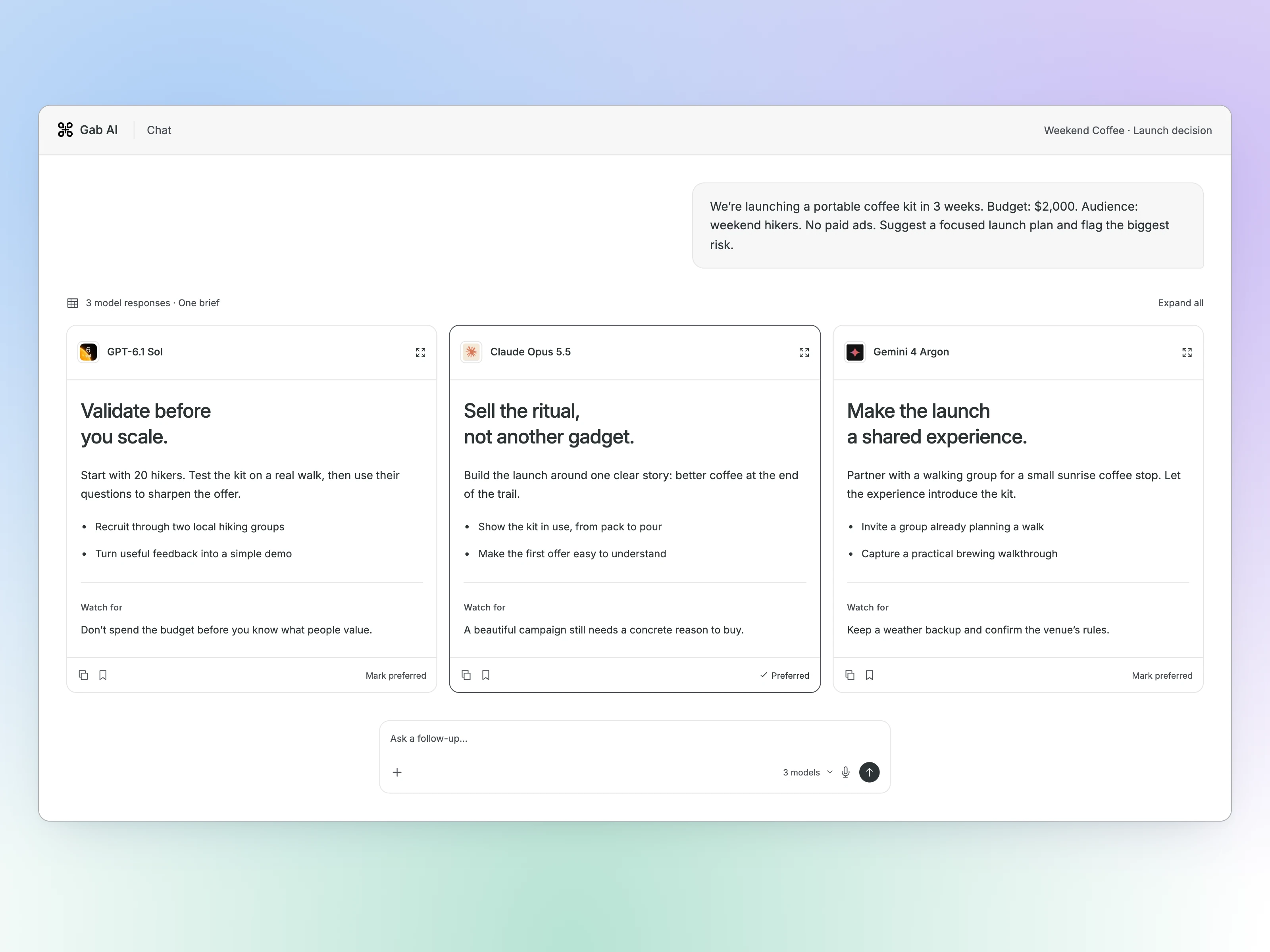
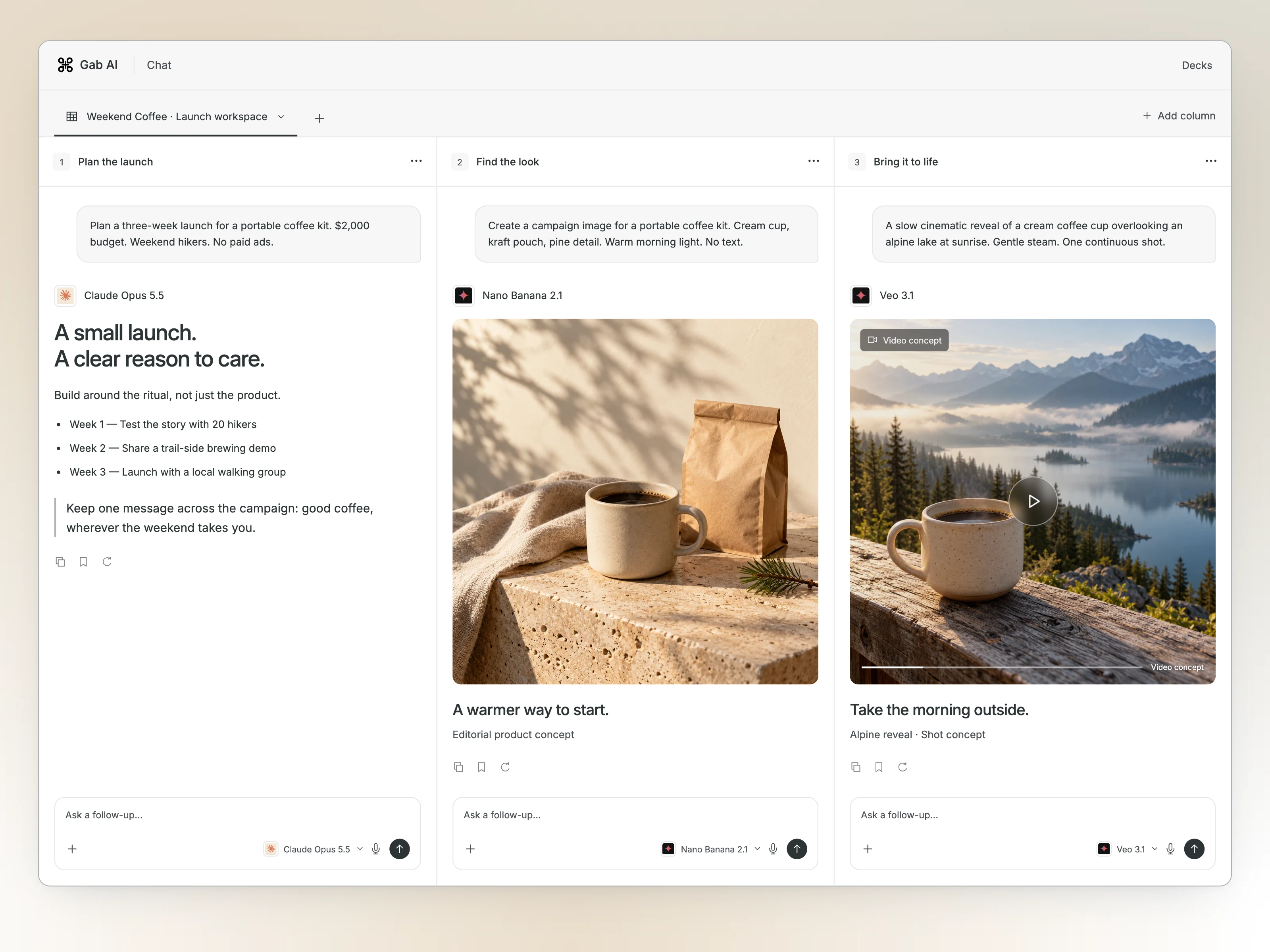
Give each part of a project its own conversation. Bring writing, image and video models together in one Deck.
Take on a project with tools and editable files. Review the result, ask for changes and keep moving in the same task.
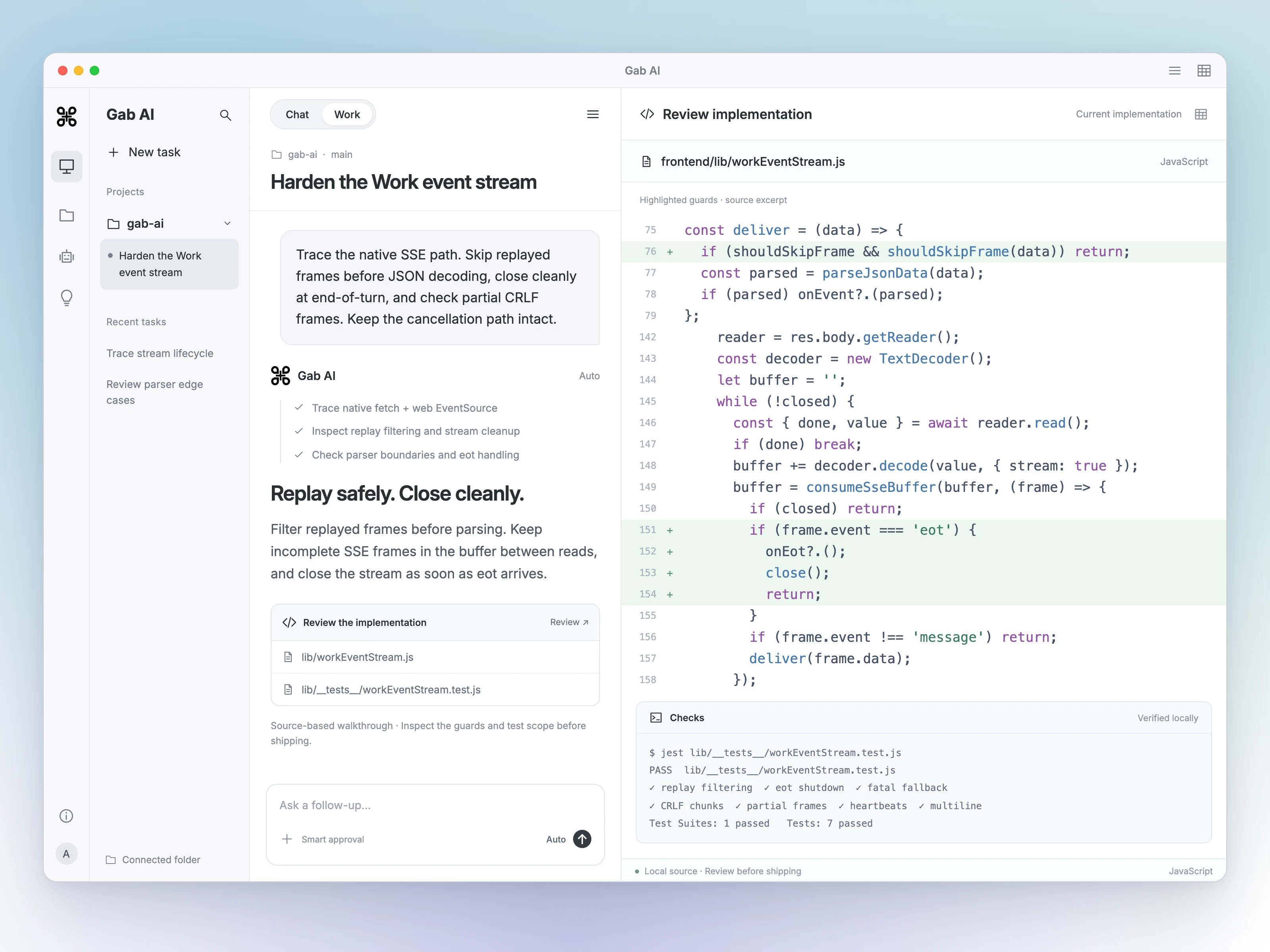
Work through the code, proposed changes and checks in one place.
Create
Images, videos, music and 3D. Start with an idea and develop your direction.
Try a brief across image models. Compare the composition and details, choose a direction and refine it.
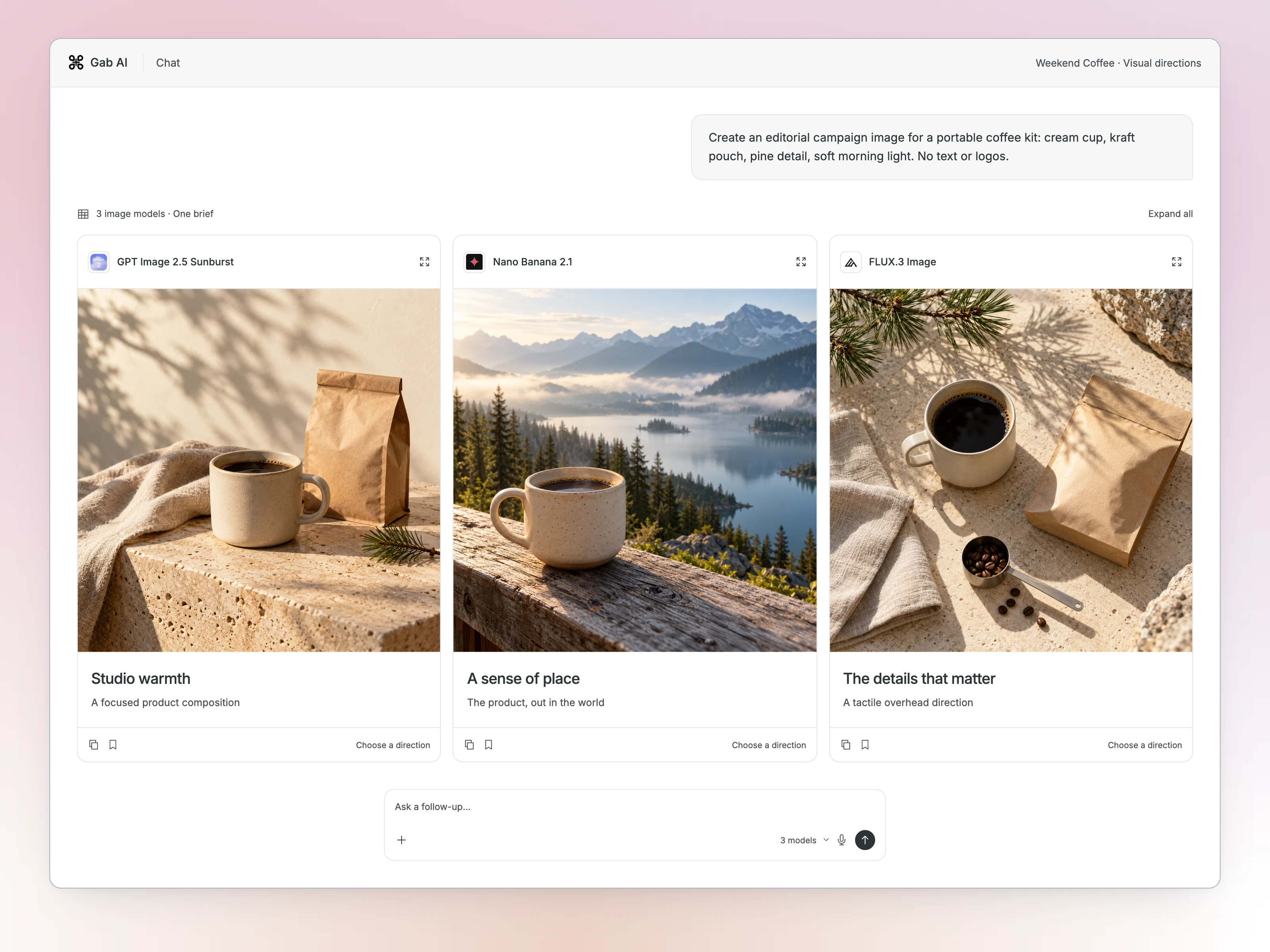
Image concepts · Workspace preview
Develop a video brief and try different models. Compare directions before building on the one you want.
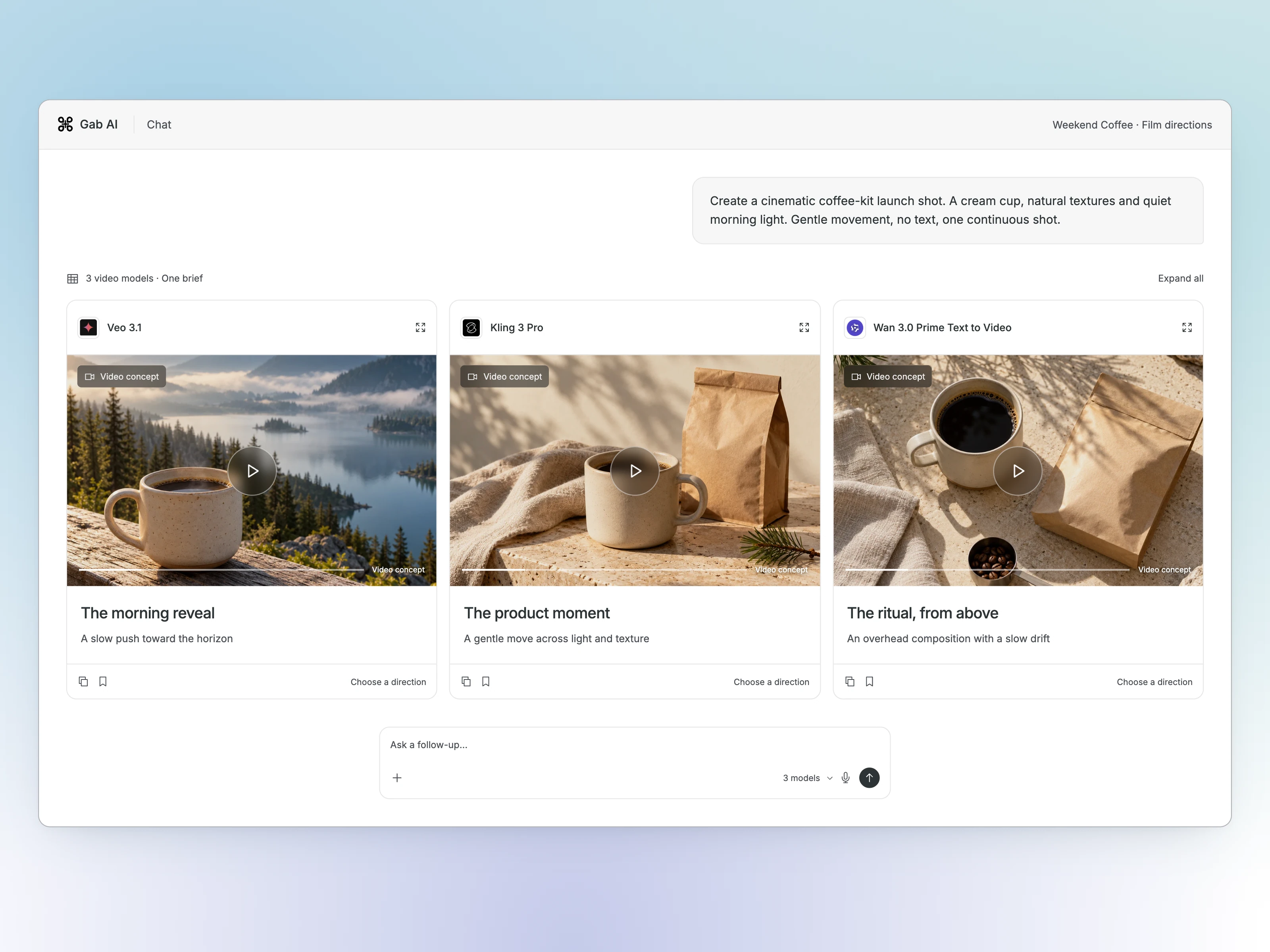
Video concepts · Workspace preview
Describe an instrumental or bring your own lyrics. These real samples start with one acoustic-folk brief and a focused revision.
 Gab AIChatMusic
Acoustic folk with guitar, piano and brushed drums requested.
This audio could not load.
Same brief; only the percussion phrase changed.
This audio could not load.
Actual Gab AI audio samples · Original request and a new generation with no percussion requested
Describe the shape, materials and style. Inspect the 3D preview and download the formats available with your result.
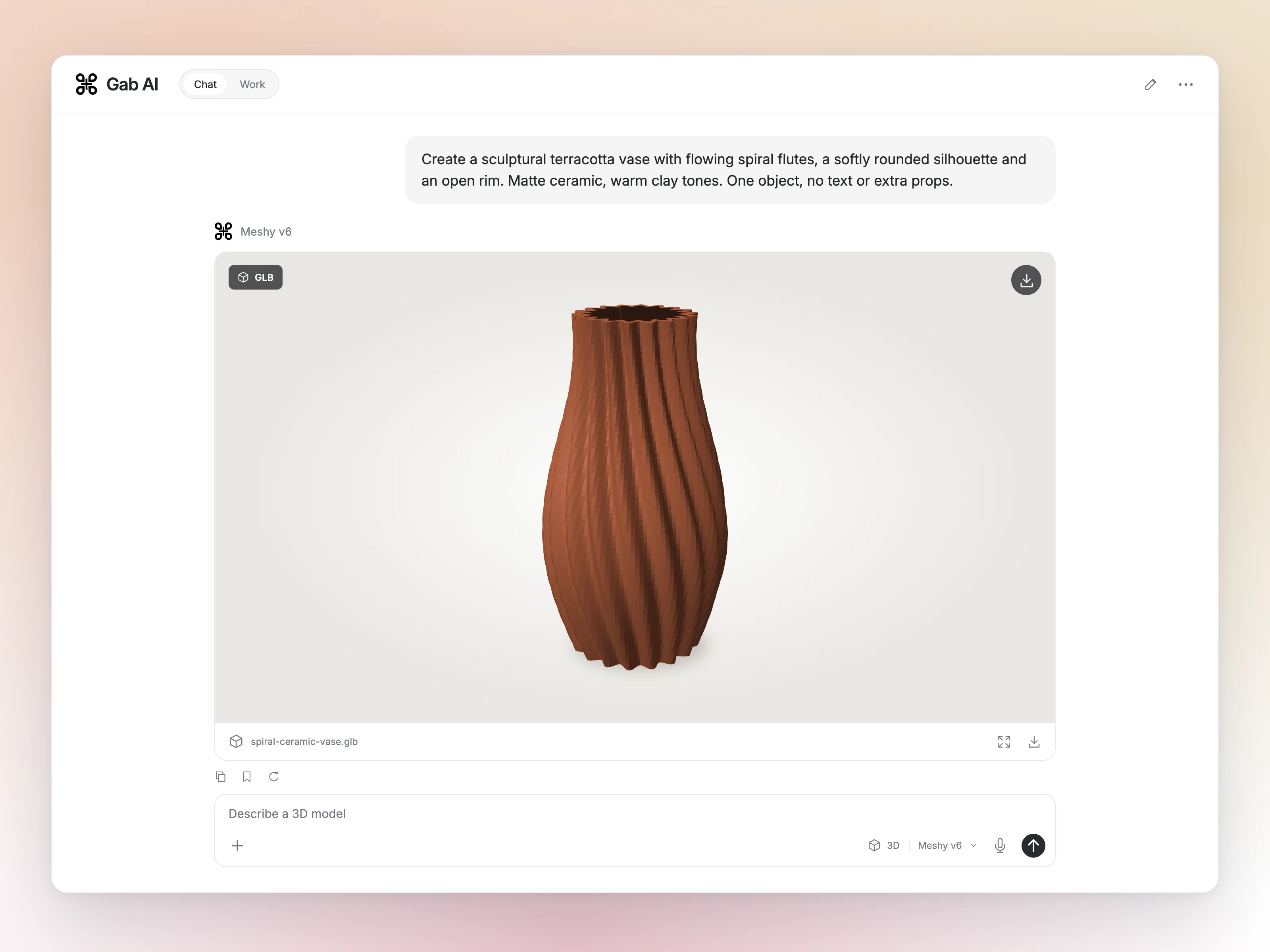
3D workspace preview
Work across devices
Work on Windows or Mac. Continue the task and send your next instruction from a paired iPhone or Android phone.
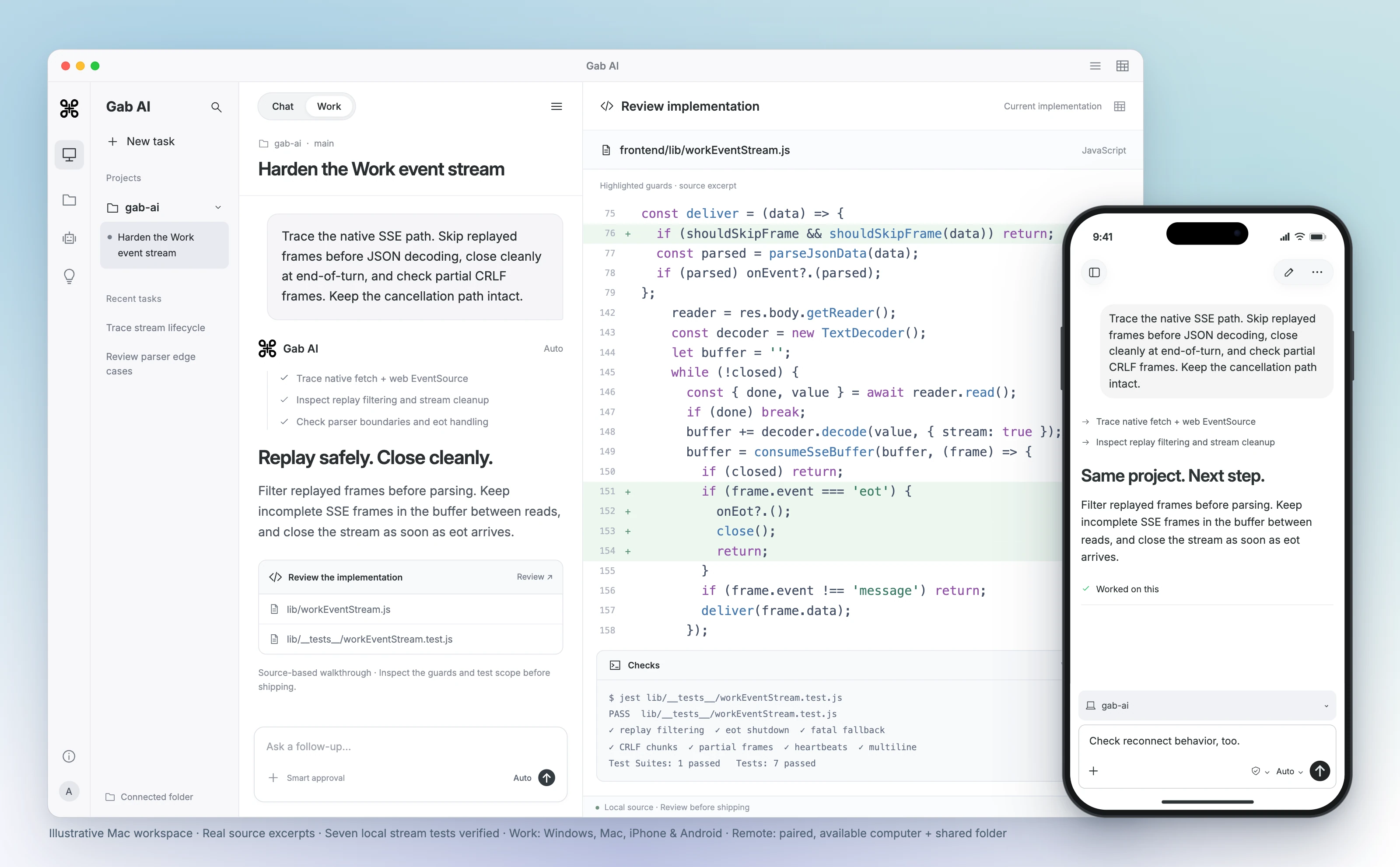
Remote follow-ups require pairing, a shared project folder and an online computer. Features vary by platform and app edition.
Feature directory
Keep useful context, reuse instructions and find the tools behind your next project.
Write, ask questions and develop ideas in conversation.
Write with ChatSwitch between AI models as your task changes.
Choose a modelAsk questions about your source files and check the answers.
Work with filesKeep useful preferences and context for future conversations.
Manage memoryTalk through an idea, ask a question and hear the reply.
Talk with VoiceBuild a budget with formulas and explore a changed cost scenario.
Build a spreadsheetTurn source notes into a Word brief and revise the draft.
Draft a documentTurn a brief into an editable deck and refine a slide.
Create slidesTake a project from a brief to editable files with AI tools.
Build with WorkSave a helper with the role, tone and instructions you use often.
Create a botSchedule recurring requests and return to the results.
Schedule tasksChoose a tool and inspect its inputs and result.
Choose a toolAdapt a starting instruction to your own facts and task.
Find a starting promptExplore political questions with Arya and review its sources and reasoning.
Meet AryaStudy a supplied Bible passage and check the answer against the text.
Study a passageChoose a source-based task and inspect its evidence.
Compare viewpointsWriting and study workflows for a church audience.
Find ministry ideasAdapt learning material and review it before use.
Plan lessonsDraft, research and organize with your own source facts.
See business workflowsSource checking, scripts and creative material.
See reporting workflowsAdapt planning to your ingredients and constraints.
Plan mealsFind a workflow for your interests, work or community.
Find your use caseCompare the product, access and workflow you need.
Read comparisonsSupported formats, fields and limitations.
Import your chatsFollow a worked task, ask for a revision and review the result.
Choose a lessonControls, access and recovery guidance.
Read the docsBring Gab AI models into your own app or workflow.
Build with the APIAuthentication, endpoints and complete request examples.
Set up the APIOfficial installation paths and platform-specific requirements.
Get the appsDevelop
Connect with a Gab API key, choose a model and send a request. Use the setup guide for supported clients and model settings.
Set up the APISee the API overviewimport os
from openai import OpenAI
client = OpenAI(
api_key=os.environ["GAB_API_KEY"],
base_url="https://gab.ai/v1",
)
response = client.chat.completions.create(
model="arya",
max_tokens=1024,
messages=[
{"role": "user", "content": "Hello, how are you?"}
],
)
print(response.choices[0].message.content)import OpenAI from 'openai';
const client = new OpenAI({
apiKey: process.env.GAB_API_KEY,
baseURL: 'https://gab.ai/v1',
});
const response = await client.chat.completions.create({
model: 'arya',
max_tokens: 1024,
messages: [
{ role: 'user', content: 'Hello, how are you?' },
],
});
console.log(response.choices[0].message.content);curl https://gab.ai/v1/chat/completions \
-H "Authorization: Bearer $GAB_API_KEY" \
-H "Content-Type: application/json" \
-d '{
"model": "arya",
"max_tokens": 1024,
"messages": [{"role": "user", "content": "Hello, how are you?"}]
}'Plans
Create a free account with no credit card and get 250 signup credits after email verification. Plus adds Work, live Voice and more model access. Find plan details and usage credit information on Pricing.
Answers
More about models, your conversations and working with Gab AI.
Use the models and creative tools offered through Gab AI with one Gab account. You do not need a separate subscription with each model provider.
Use Arya or model families such as GPT, Claude, Gemini and DeepSeek. Choose a model yourself or let Auto select one for your request. Browse the model library to explore the lineup.
The selected AI provider may receive your prompt, relevant files and the context you enable. Requests go through Gab’s provider account, but personal details in your content can still reach that provider. Read the privacy policy before sharing sensitive information.
Yes. Import supported chat exports to keep your earlier conversations together in Gab AI. The import guide explains which formats and content can transfer.
Yes. Connect your app using Gab’s OpenAI-compatible chat API and a Gab API key. The API setup guide covers endpoints, authentication and complete request examples.
Yes. Create a bot with a role, tone and instructions so you can return to the same helper. Use Memory for useful facts and preferences you want available in future conversations.
Find more detail and choose your next step.
The draft you have been putting off. The idea you want to see. The project ready for its next step. Bring it to Gab AI.
