
Scheduled run
The original workshop time
Facts
- Workshop: Cedar
- Topic: Introductory woodworking
- Schedule: Saturday, 09:15
- Capacity: 12 adult places

Unknowns
- Venue
- Price
- Registration link
Gab AI
Give recurring requests a place in your routine. Set up a reading brief, planning prompt or checklist, choose when it runs and return to the results.
Repeat a weekly reading brief, lesson outline or workshop checklist on a schedule. Write a request you can check, test it once and choose when it should run again.
Repeat a reading brief, planning prompt or checklist at a time that fits your routine.
See how scheduling worksGet a chat response or use Work for a task with multiple steps. Choose the mode and model before saving.
Choose how it runsOpen the result conversation, review the answer and sources, and keep going from there.
See a scheduled resultUpdate the instructions, use Run Now for an immediate run, or pause the recurring schedule.
Keep control of your taskSchedule a request for a recurring brief, then use Run Now when you need an update. The guide shows how each trigger works.
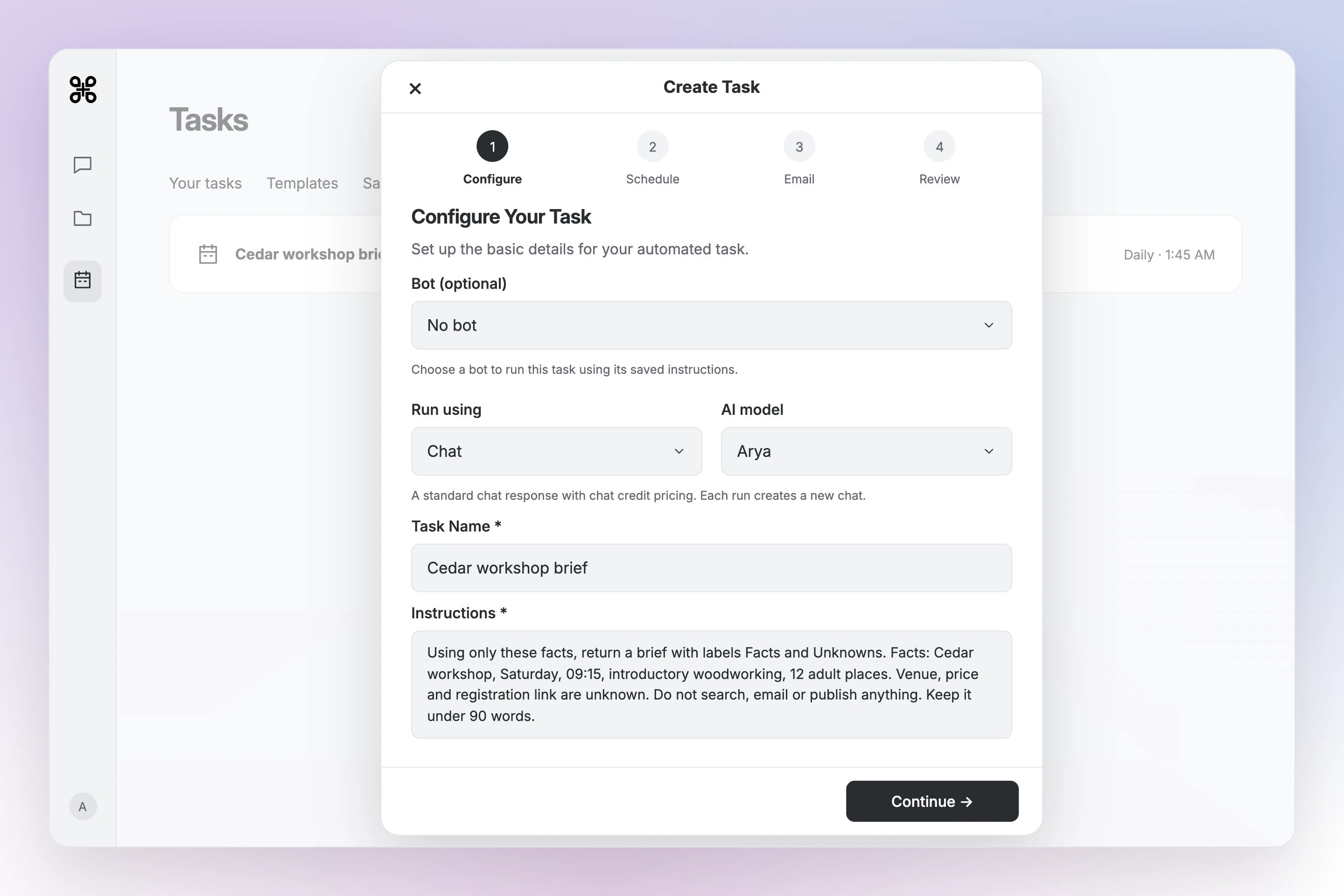


Facts - Workshop: Cedar - Topic: Introductory woodworking - Schedule: Saturday, 09:15 - Capacity: 12 adult places Unknowns - Venue - Price - Registration link
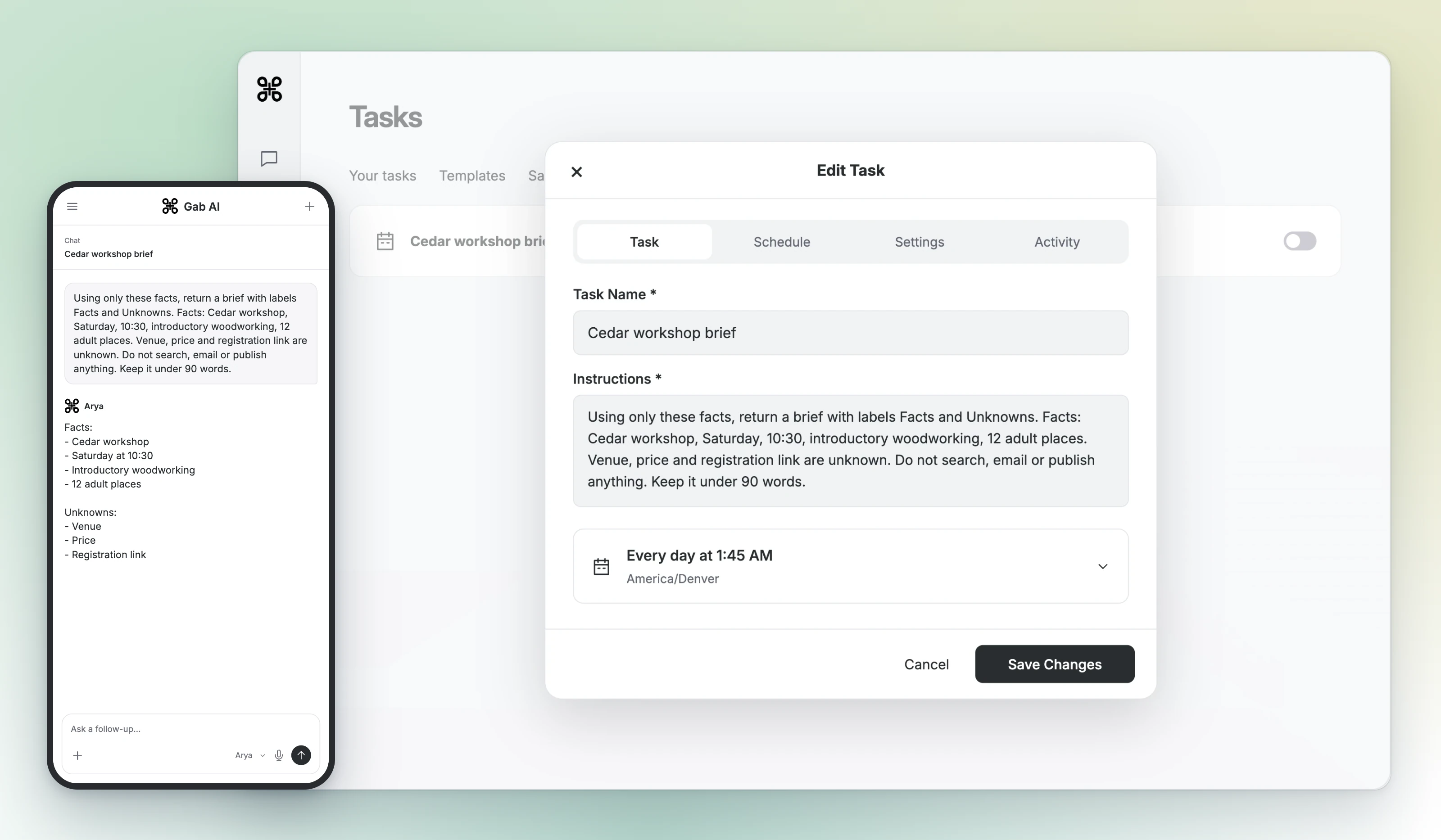
Facts:
- Cedar workshop
- Saturday at 10:30
- Introductory woodworking
- 12 adult places

Unknowns:
- Venue
- Price
- Registration link
The first brief came from the schedule. After the instructions changed, Run Now produced the updated brief while the schedule was paused. Venue, price and the registration link remained unknown.
Run this proposed request once in Chat and open its original sources. Adjust the request before making it recurring.
Prepare an adult study brief about a planet from official NASA pages. List two claims, source URLs, what each source supports and unknowns. Do not send messages or publish anything.Keep two claims and their links. Include source titles and supplied dates. Flag unavailable facts; verify exact quotations before using them.A schedule plan to fill in
| Item | Details |
|---|---|
| Name | Weekly planet reading brief |
| Run using | Chat for this proposed brief; select an eligible model. |
| Cadence | Weekly, Monday at 09:15 in your chosen timezone. |
| Schedule review | Check the cadence, local time and saved time zone before creating the task. |
| Delivery | Choose whether to enable email; inspect the result conversation after a run. |
Name the task and supply instructions, then choose Chat or Work, a model, cadence and optional email delivery. Review the displayed schedule and time zone before saving. Standalone/template tasks default to Chat; tasks created inside Work default to Work.
Inspect the result and sources after a run. Pause or edit an unhelpful schedule. Deleting a result conversation does not delete its schedule. A schedule bound to a deleted Work conversation is retained but paused.
Check task access, model eligibility and credits on your account. Scheduled runs can consume credits; Work runs require Plus and applicable model/tool usage. Review completion and delivery after each run.
Tasks supports recurring schedules. Check cadence, timezone and next run, then inspect the actual result. A saved schedule does not prove future runs complete.
Supported schedules can select a bot or bind to an owned Work conversation. Review the mode and model; existing Work-bound schedules use that conversation’s model.
Pause or edit the schedule in Tasks. Deleting only a result conversation does not remove the schedule.
Try the request, review its result and choose a schedule that suits you.
