
Saved time: 09:15
The start time for the Cedar workshop is 09:15.
Everything else is unknown.
Gab AI
Spend less time explaining the same preferences. Save how you like to work, keep useful project context and update details as they change. Gab AI can bring relevant memories into later conversations.
More models. One shared memory.
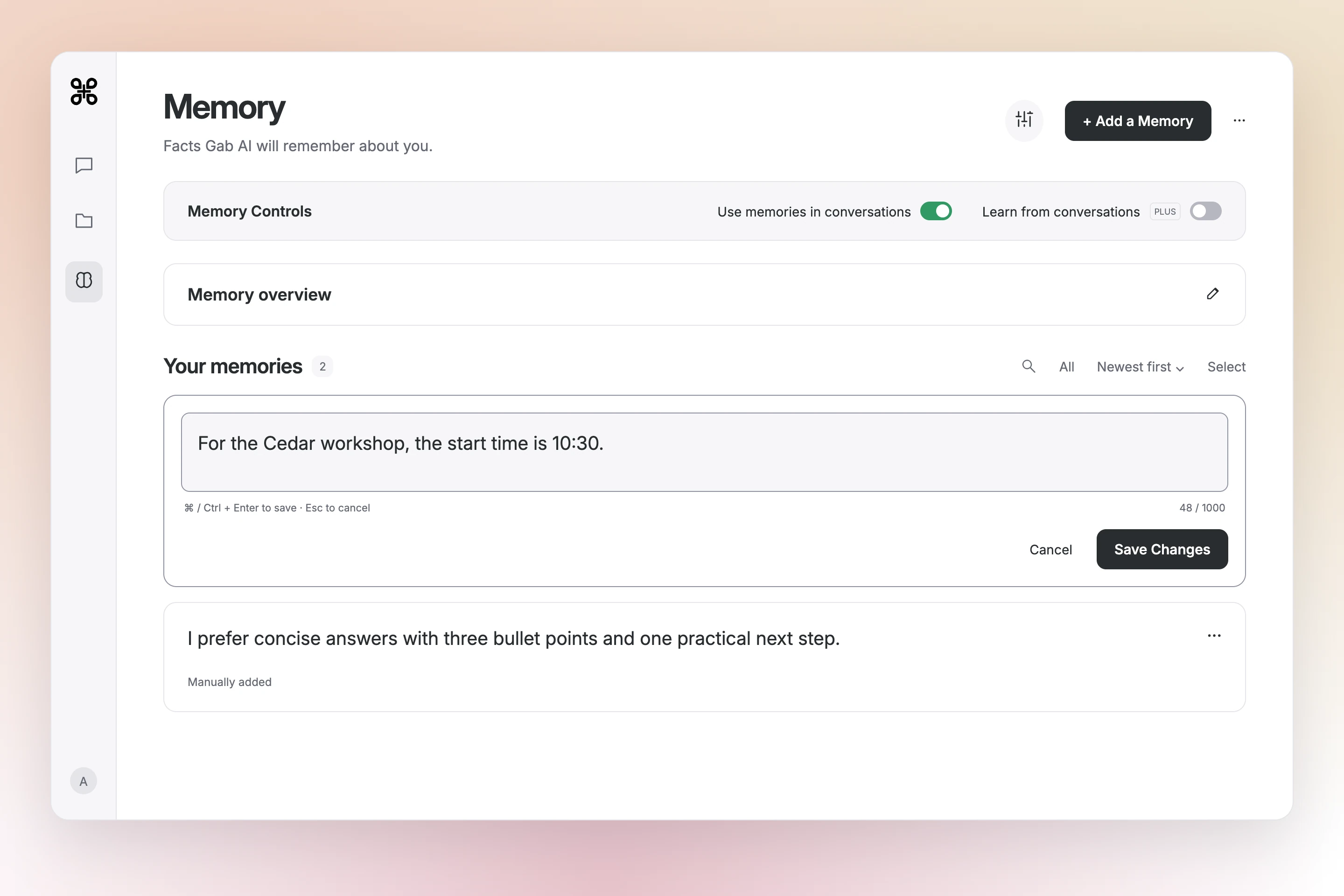
The Cedar workshop moved from 09:15 to 10:30. After the saved entry was edited, Arya returned the new time in a separate chat using the same question. Both answers left the other details unknown.


A vegetarian preference and a family size give a dinner request a useful starting point. Watch how the saved preference is used, then try a preference of your own.
Loading video…

This video could not load. Read the transcript below.
This tutorial shows a saved food preference used in a new chat. Memory use, collection scope and temporary-chat personalization determine when saved context is available.
The start time for the Cedar workshop is 09:15.
Everything else is unknown.
Start time: 10:30.
All other details regarding the Cedar workshop are unknown.
Loading comparison…
No example memories to display.
This comparison could not load.
Your preferred writing style, a recurring audience or a project constraint can stay available between conversations. Save the details that remain useful, then add what is new in today’s request.
Keep a preference for plain language, concise answers or a recurring audience. Give the current topic in your next request.
See writing ideasKeep a project’s audience and constraints in its collection, using the collection’s memory controls to choose what applies.
Choose your memory scopeSave a cooking preference or family size, then add today’s ingredients, time or plans when you ask.
Find everyday ideasYour saved preferences and context belong to your Gab AI account. Switch chat models and bring relevant memories with you, without setting everything up again.
How shared memory worksReview your entries in Memory, edit a changed detail or remove an old preference. Use memories in conversations controls whether saved context is used. Learn from conversations controls automatic learning; turning it off leaves existing memories available.
Add and manage memories with your Gab AI account. Plus adds automatic learning from conversations. The Memory guide explains account access and conversation costs.
Memory keeps reusable context between conversations. Chat history holds the turns of one conversation, while custom instructions guide how the assistant responds. Keep exact source text and the details of your current task in the prompt or an attached file.
Your saved memories live in your Gab AI account. When you switch chat models, Gab AI can include relevant context from that same memory in your next request. Keep your preferences in one place and carry them into conversations with different models.
Use account memories for general preferences and collection memories for project-specific context. You can turn memory use off or limit a collection to its own memories. Temporary chats have a separate personalization setting. Important details still deserve a check in the answer.
No. Gab AI uses relevant saved context according to your settings, the chat’s scope and available context. Open the original conversation or file when you need exact text.
Yes. Open Memory and use the entry’s actions to edit or remove it. Changes to saved memory do not rewrite earlier conversations or erase requests already sent to a provider.
Yes, you can manually add, review and edit memories with a signed-in account. Automatic learning from conversations requires Plus. Model responses follow your account’s access and credit rules.
Relevant saved memories can be included with your request to the selected model provider. Read the privacy policy before saving sensitive information.
Find more detail and choose your next step.
Save a preference you often repeat, then put it to use in a new chat.
