
A workshop proposal, from brief to revised slides
Turn notes into editable PowerPoint slides, with tables and speaker notes. Revise the slides that need a change while keeping the rest of the deck together.
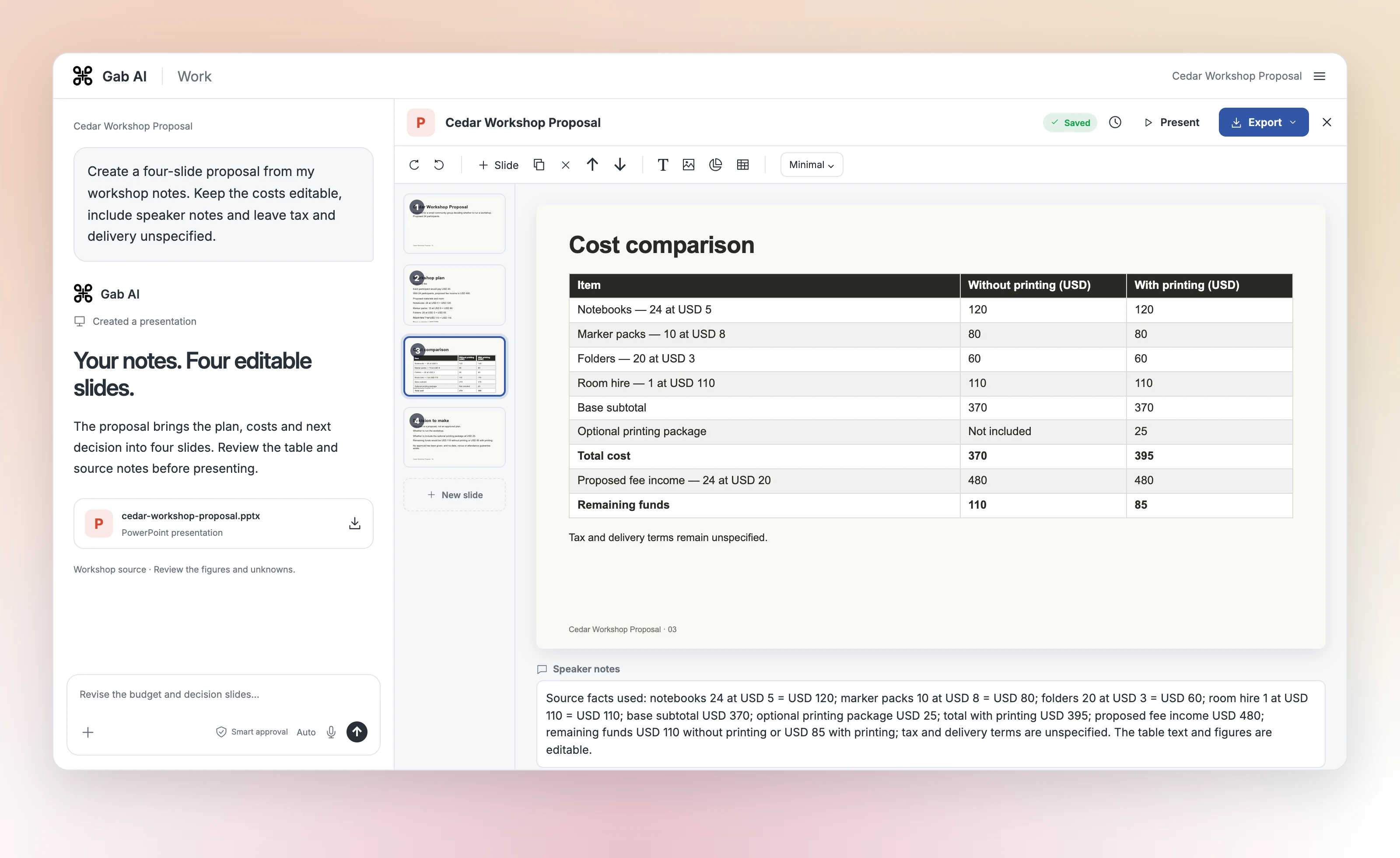
Enlarge preview
Build from notes
Build the deck, review the slides and refine the details.
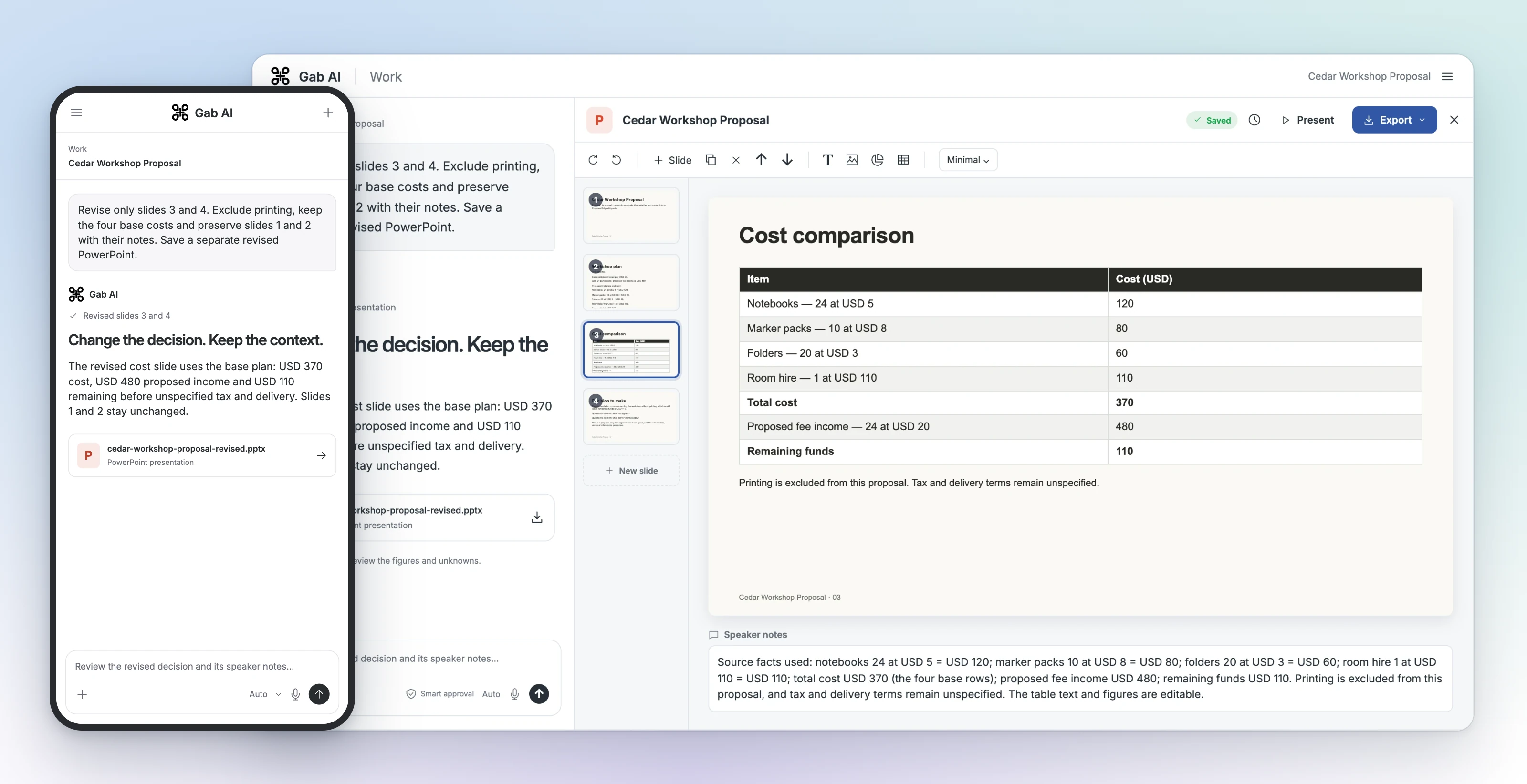
Enlarge preview
Revise specific slides
Build the deck, review the slides and refine the details.
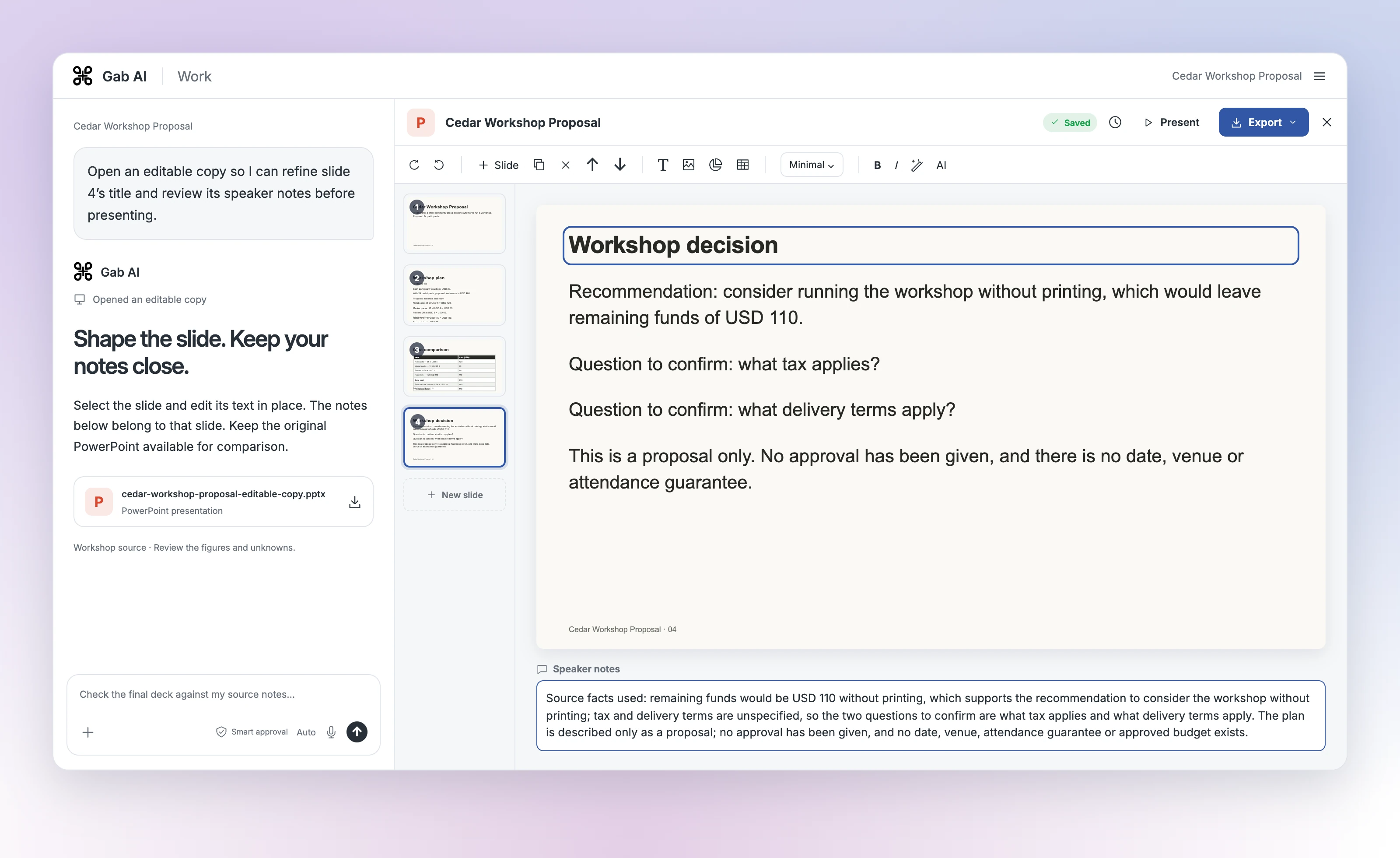
Enlarge preview
Edit slides and notes
Build the deck, review the slides and refine the details.
Four slides that lead to a decision
Introduce the proposal, explain the plan, compare the costs and identify the next decision. The lesson includes the complete original slides and the changed slides from the revision.
Cedar Workshop Proposal
Introduce the proposal, its community audience and 24 proposed participants.
Workshop plan
Explain the proposed fee, materials and room hire from the supplied notes.
Cost comparison
Compare the base costs and printing option; the revised slide uses the base plan.
Decision to make
Consider the workshop without printing and confirm tax and delivery before approval.
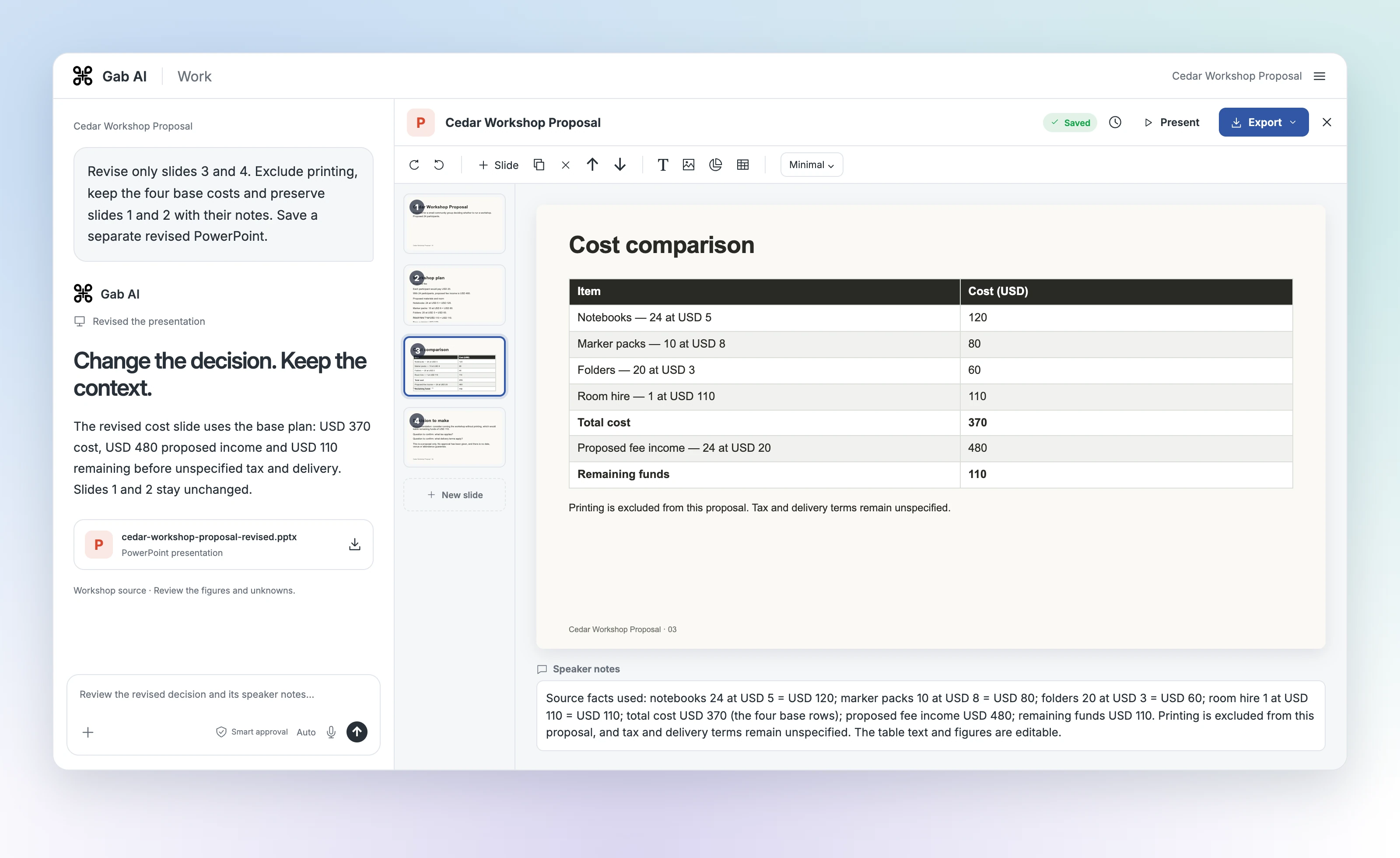
Original and focused revision
Enlarge image
The revised cost slide
The revised Gab Work presentation uses the base plan: USD 370 cost, USD 480 proposed income and USD 110 remaining, with tax and delivery unspecified.
What the focused revision changed
| Item | Details |
|---|---|
| Original deck | Four slides; editable table compares costs with and without optional printing. |
| Revised deck | Four slides; cost table uses the USD 370 base plan with printing excluded. |
| Next decision | Consider the workshop without printing; confirm tax and delivery before approval. |
| Preserved content | Slides 1 and 2 and their notes remained unchanged in the delivered PowerPoint files. |
From notes to presentation slides
Open Gab AI and choose Work. Give the audience, purpose, slide count and source notes, then ask for an editable presentation. Open the result and review its slides, figures and notes. For a revision, name the slides to change and keep the original for comparison.
A proposal from your facts
Supply the figures, assumptions and decision. Ask Work to leave unknown costs explicit and distinguish a proposal from approval.
A focused slide revision
Name the slide, intended change and facts to preserve. Compare the revised deck with the original, including untouched slides.
An AI PowerPoint generator with editable slides
Create a PPTX with editable text, tables and speaker notes. Open the returned file; if it opens as a preview, choose Edit a copy of this presentation to continue in the editor. Check the imported copy against the original before making it your working version.
Keep your facts through each revision
Check figures, labels, source references and speaker notes against your brief. When a revision changes one part of the deck, compare the other slides too. The lesson shows both versions of the workshop example.
Presentations in Gab Work
Work requires Plus and uses applicable model and tool credits. See the presentation guide for access, saving and export controls.
Can AI create an editable PowerPoint?
Yes. The workshop example produced a PPTX with native text, a cost table and speaker notes. You can open it in Gab and use an editable copy; check imported content and formatting before presenting.
Can I make an AI presentation from text?
Yes. Paste your notes into Work with the audience, purpose and slide outline. Ask for a finished editable presentation. The lesson includes a complete source brief and focused revision.
Is the AI presentation maker free?
Work presentations require Plus and applicable credits. Signing up alone does not unlock Work.
Can I use a PDF as the source?
Attach a supported PDF and check that its content has processed before requesting slides. The workshop example used pasted text. Review the extracted facts and generated slides, especially tables and scans.
